

This post was originally published yesterday on my new Substack publication, The Third Brain.
It is a lightly edited transcript of a talk I gave to the Quantum Foundations group at Perimeter Institute on 27 August 2026.
Watch it on YouTube here.
Join the waitlist for my upcoming course on agentic AI for physics researchers here.
To set the context for why I’m going to be talking about the stuff that I’m talking about: I was a researcher for a really long time in the field of quantum optics.
The last seven of those years were spent here at Perimeter, where I was a PSI Fellow and also had a quantum optics research program. In 2020 I left and I joined IBM Quantum. I was there for about four years and I had quite a few different roles, but one of them was that I was leading a quantum software team. So I got to really see how people build software and how they collaborate. That was a really cool experience.
And then the last two years I’ve been building and working in Quantum Salon, which is my consulting business. There I work with quantum tech startups and quantum organizations to help them explain what they do and why it’s important, and also just in general helping the quantum ecosystem understand each other.
In building this business I’ve been using AI a lot to help accelerate different kinds of workflows, to become more efficient and also to increase my capabilities beyond what I can do without AI.
I kind of oscillate between my anti-AI phase and my pro-AI phase, and right now I’m in the pro-AI phase. So those three components, the research, the software, and the AI, all culminated together in the stuff that I want to talk about today.
Why “the third brain”
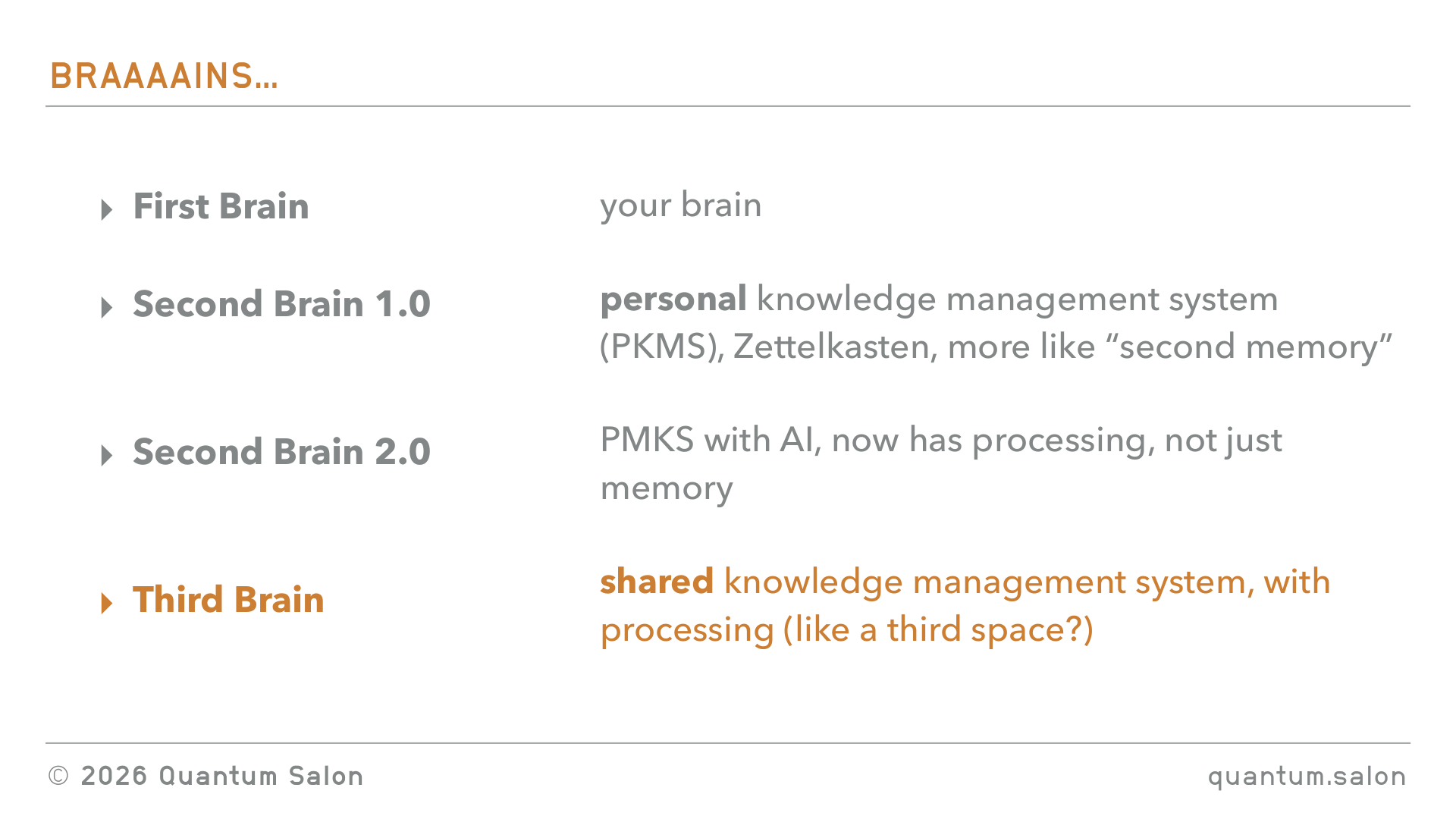
I’m calling it the third brain. Why is it the third brain? Well, it’s the natural succession to the second brain, which you may have heard about.
The first brain is like your brain. Everyone has a brain.
You may have heard about people talking about the second brain. The second brain is the externalization of the knowledge that’s in your head. You can just put it into a bunch of index cards, which was the Zettelkasten method, or people use tools like Obsidian to build out these kind of almost wiki-like things with lots of connections. Another term for it is a personal knowledge management system, and people have been using these things for decades. I kind of think of that as second brain 1.0, because it was more like a second memory.
But now with AI you can also externalize the processing. So I think of this as second brain 2.0, not just the memory but also the processing. And the thing that I’m highlighting here is that it’s a personal knowledge management system.
So what I’m calling the third brain is now a shared knowledge management system, which also has processing. Why do I not just call it second brain 3.0? Well, third brain sounds cooler. I think it’ll be more viral!
And also I kind of want to have connotations with this idea of a third space, which is this community, collective space where people come together. So that’s the context for the name.
What’s in this talk
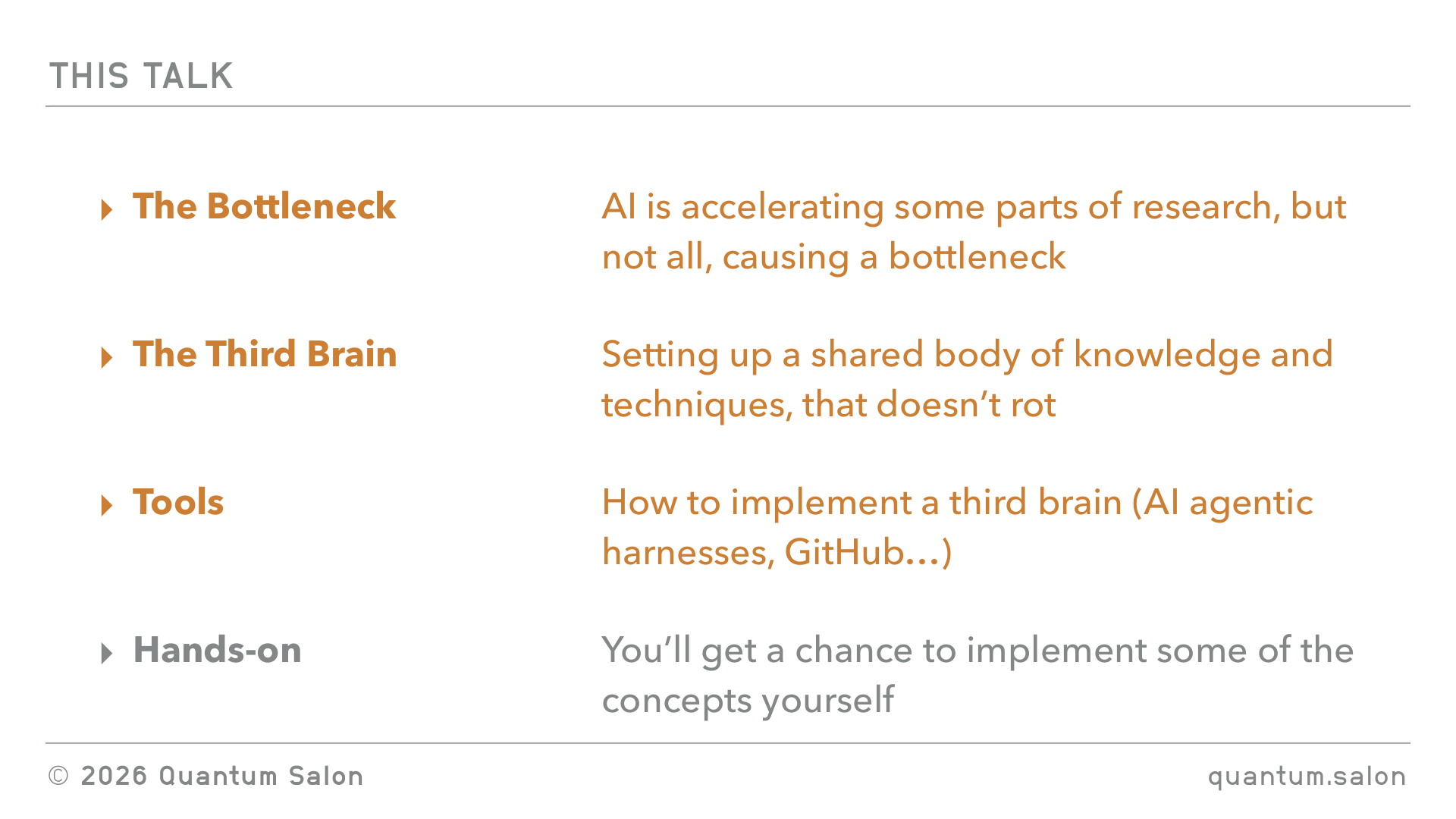
In this talk I’m going to spend quite a bit of time on the motivations, so setting up what I think is the bottleneck in where AI is able to help research and where it hasn’t been able to help research, from what I’ve observed so far. Then I will propose what I think is the solution, which is this idea of the third brain, so setting up a shared body of knowledge and techniques, and in particular adopting workflows and having AI assist so that it doesn’t rot or go stale. I don’t know if any of you have ever been involved in building a wiki for the group. It starts off with a lot of energy, you’re making this wiki, but then it just goes stale because nobody really maintains it.
So I’m going to set up the bottleneck, then talk about the solution with what I think is the third brain, and then at the end I’ll introduce some tools. I’ll talk about AI agentic harnesses, GitHub and other tools, which I think are the things that you can use to implement this set of processes.
The bottleneck
I wanted to start with this meme that I like very much. Some of you may have seen it.
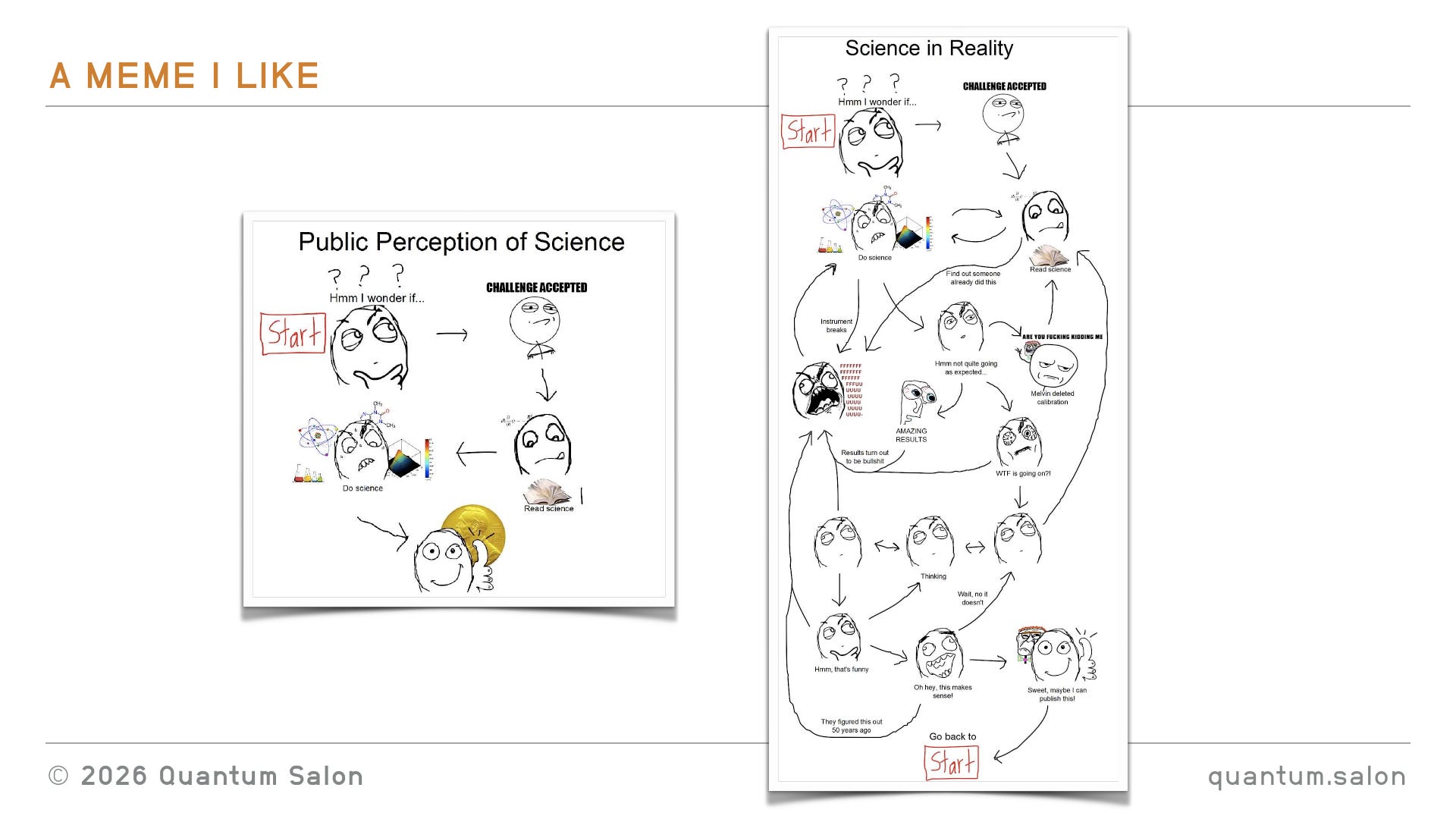
This is the public perception of science: oh, I wonder what happens if, challenge accepted, read science, do science, Nobel prize, great.
And then the counterpoint to that is, this is how science is in reality. You might not be able to see the details, but there’s lots of swearing, lots of going back and forth, like “WTF is going on”, “oh my god someone’s done this already”, and it’s kind of crazy and chaotic.
The reason I want to start with that is I really want to acknowledge that I think this is a good reflection of how science happens. And also we all have our very individual ways of doing things, especially I think in theoretical physics, where we’re less about the scientific method and more this creative process of coming up with ideas. It’s rigorous, but still very individual. I kind of want to keep that in mind, because for this talk I’m going to simplify how I think science happens just to be able to communicate some ideas. But I want you to keep in mind that that’s simplified, and in reality I acknowledge that it’s a very individual, chaotic process.
Your first research project
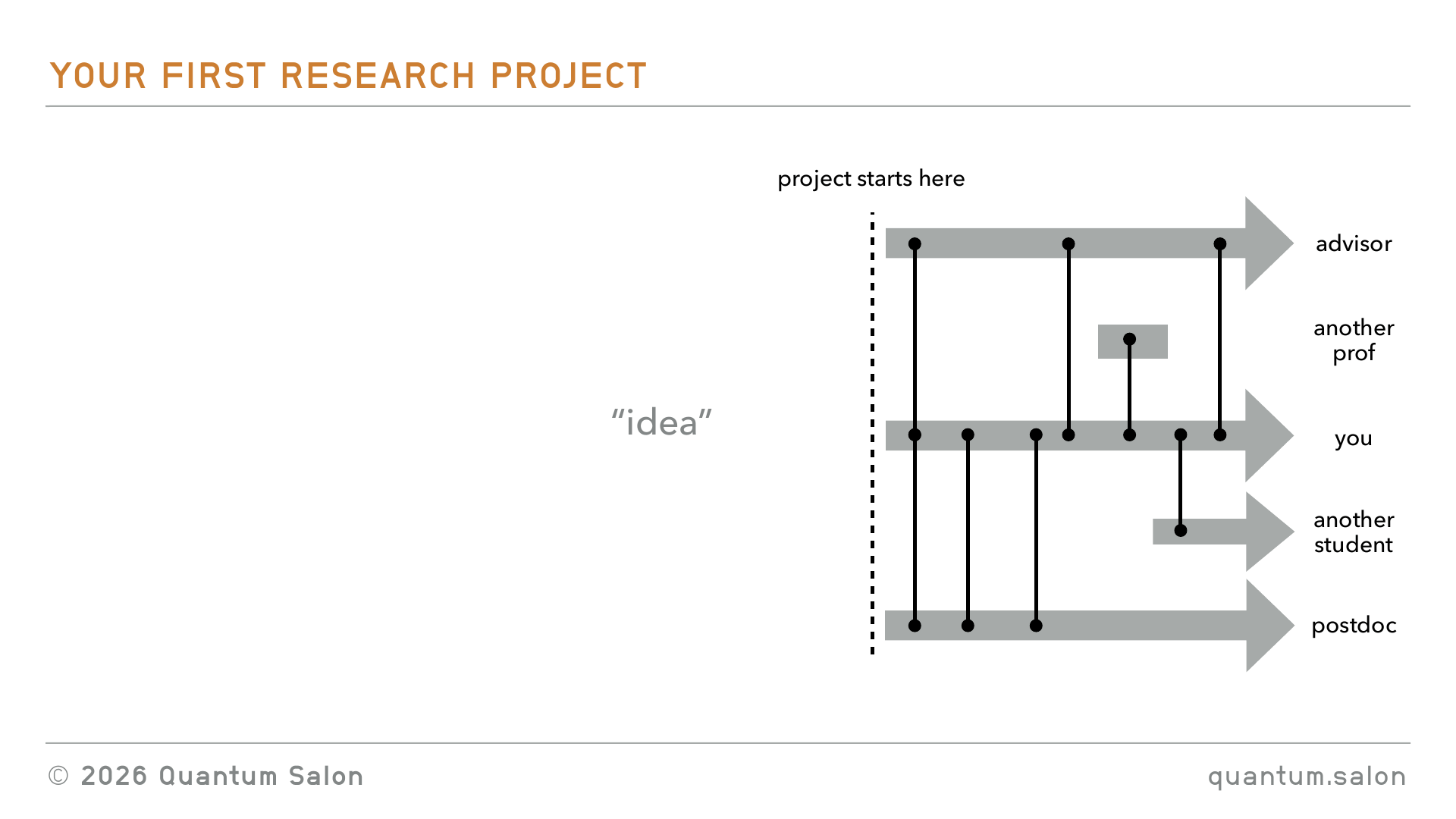
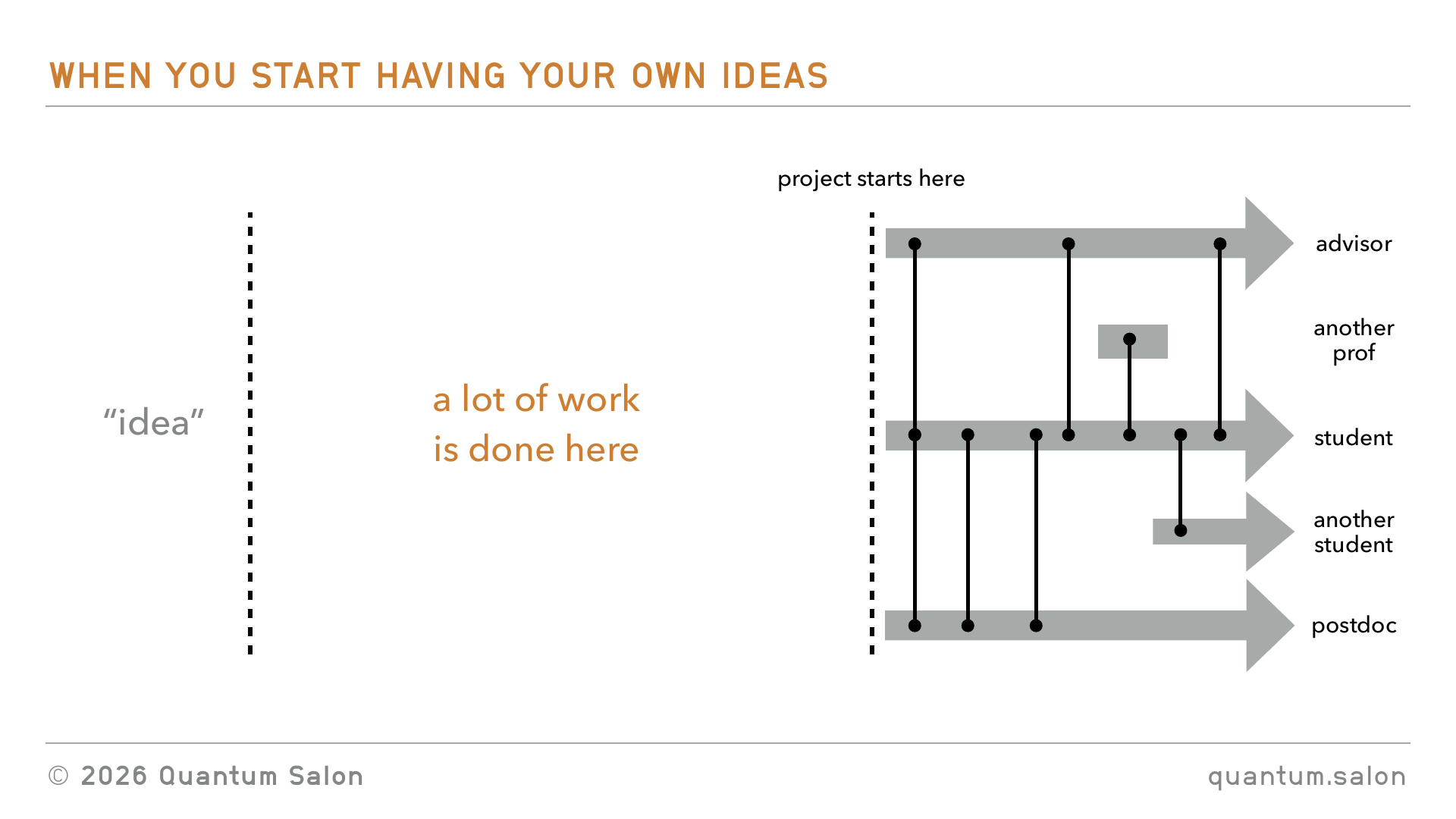
So let’s start with the simplified version. I want you to think back to the first time you did a research project. Probably your adviser gave you a research project to work on. You guys had a meeting, then you went off and worked on it. Probably you met with them every week while continuing to do the work by yourself. Maybe there was a postdoc involved that you were meeting with more regularly, getting some help. Maybe you had to ask another professor something. You roped in another student. But it was this process of everybody working together, meeting occasionally. And probably in your head you had this vague idea that yeah, my supervisor came up with this idea at some stage, and then the work started when they gave me the idea and I started to work on this project.
When you start having your own ideas
Then when you progressed in your career and you had your own ideas which you wanted to give to students, you realized, oh actually, there’s the idea, but then a heck of a lot of work, and almost the hardest work, has to go into turning that idea into something that you can give to a student, which is a well-defined project that they can work on.
From idea to project
So how would this process work? For starters, I think you don’t just have one idea, right? You have a ton of ideas that you have in your head, that you’ve collected through doing research, talking to people and so on, and those ideas kind of sit in the back of your head. There’s this incubation period, so maybe the idea comes back to you every now and then, you think about it, you do some more progress, maybe it just sits in your subconscious and does its magic back there. But stuff is kind of happening, these ideas are mixing around.
And then some external pressure comes along. Maybe it’s, oh my god, the winter school is coming and I have to present a project. Or a student is starting in the group, I have to give them a project, I have to give them some work to do. Or a collaborator is visiting and you’re going to have only a week to come up with something good that you can work on when they go home. Or you’re at a conference having dinner with someone and you only have a little bit of time to work together. So this pressure comes along, somehow magically pulls out one of those ideas and says, this is the idea we have to figure out.
And then there’s this intense period of hashing out this idea. Maybe you spend the whole weekend figuring out what is this research project, and you’ve got all this stuff in your head and it’s messy. Or maybe you and your collaborator lock yourselves up in an office for three days and just hash everything out on the blackboard. But it’s this very intense thing, which is very different to the later collaborative stage. And hopefully at the end you have a well-formulated project and you can give it to your student.
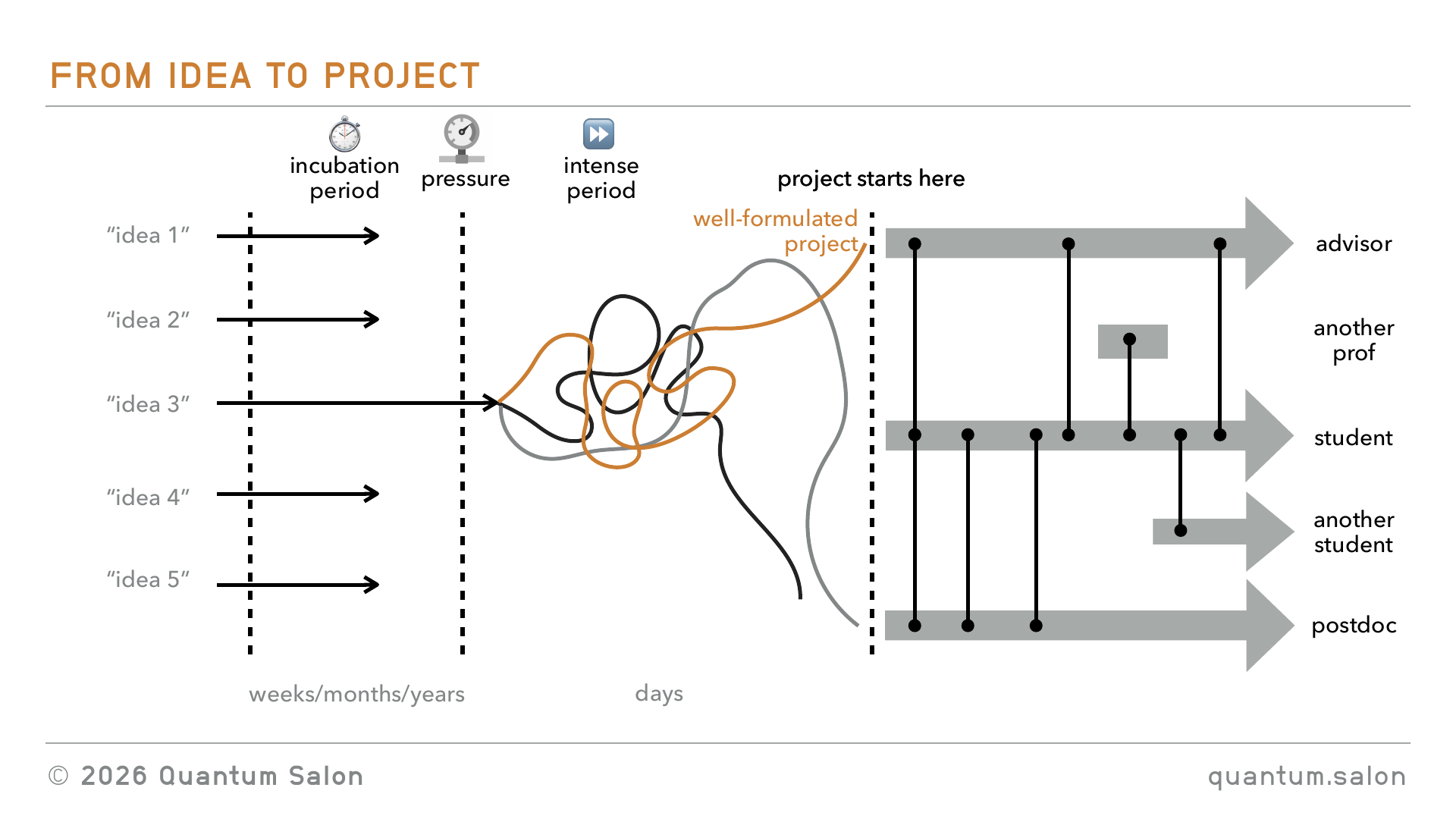
This is not to scale. I think the incubation period can be weeks, months, years, but this intense period of formulating the idea is kind of days.
Where AI has helped, and where it hasn’t
What I’ve kind of seen from talking to researchers is that I think AI has accelerated some aspects of this. It’s helped generate more ideas, like we’re having this interaction with ChatGPT and getting all these different ideas. And what are you going to do with these ideas? And then I think it’s also accelerated this part at the end. I think it’s helped us execute much faster on a project that you’re already working on.
But I think it’s created bottlenecks in this middle section. I think there are a few of them.
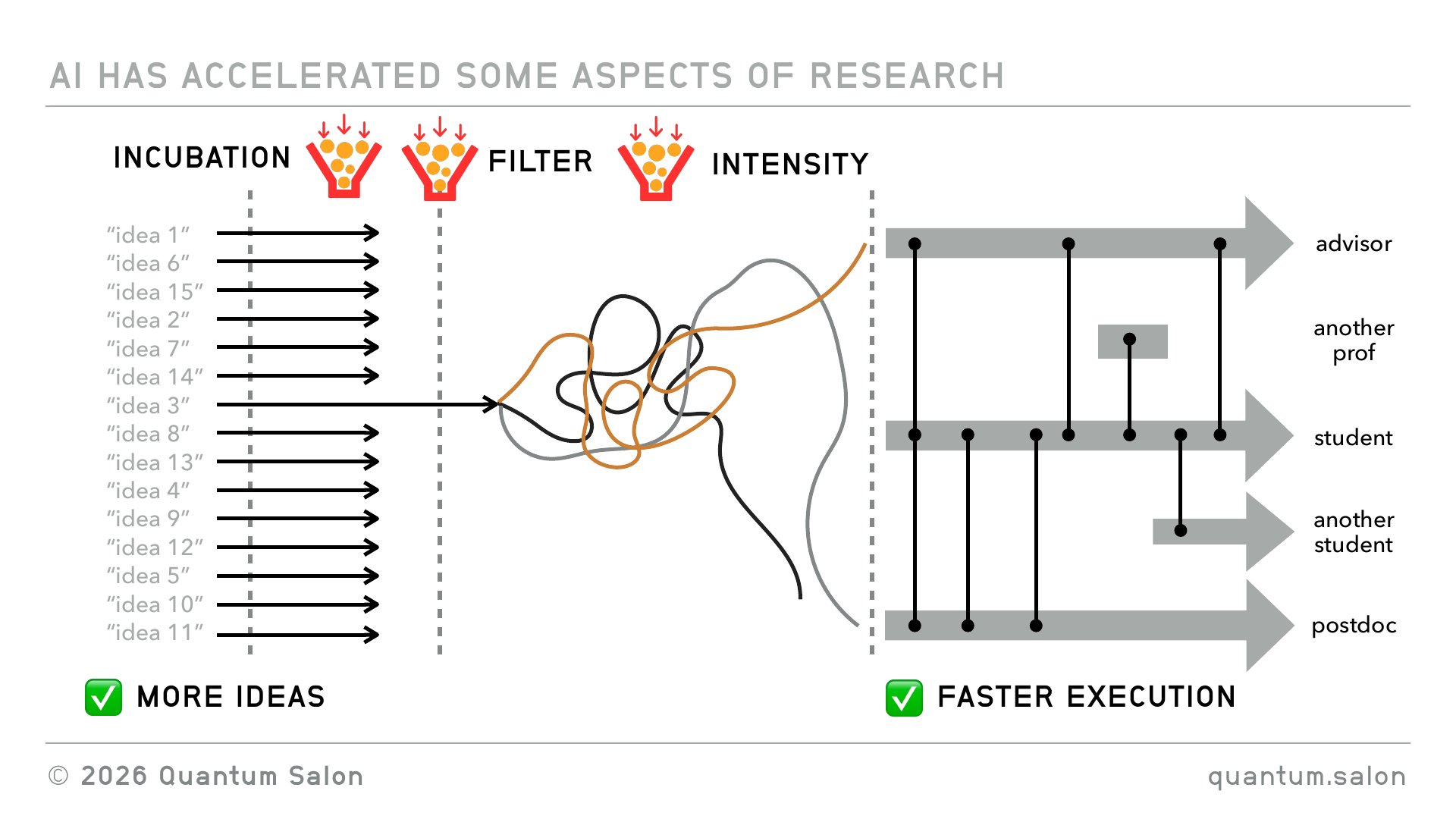
One of them is the incubation bottleneck. I think when you have a lot more of these ideas, it’s really hard to just keep them all in your head and have them do things in the background. This is not scientifically proven or anything, it’s just what I at least have experienced myself, and heard of other people talking about, that you’ve got all this stuff happening there and you don’t really know how to process it.
I think there’s a filtering bottleneck too, because these external pressures haven’t really changed. They’ve kind of stayed the same, but now you’ve got more ideas to choose from. How do you pick out which is the one that you should keep working on?
And then I think there’s this intensity bottleneck. If you have ten times more ideas that you have to turn into well-formulated projects, it’s really hard to have ten times more of these intense weekends, or to have these intense periods where a collaborator and you are hashing things out. You kind of don’t have the energy to do all of those things.
Weakly coupled and strongly coupled collaboration
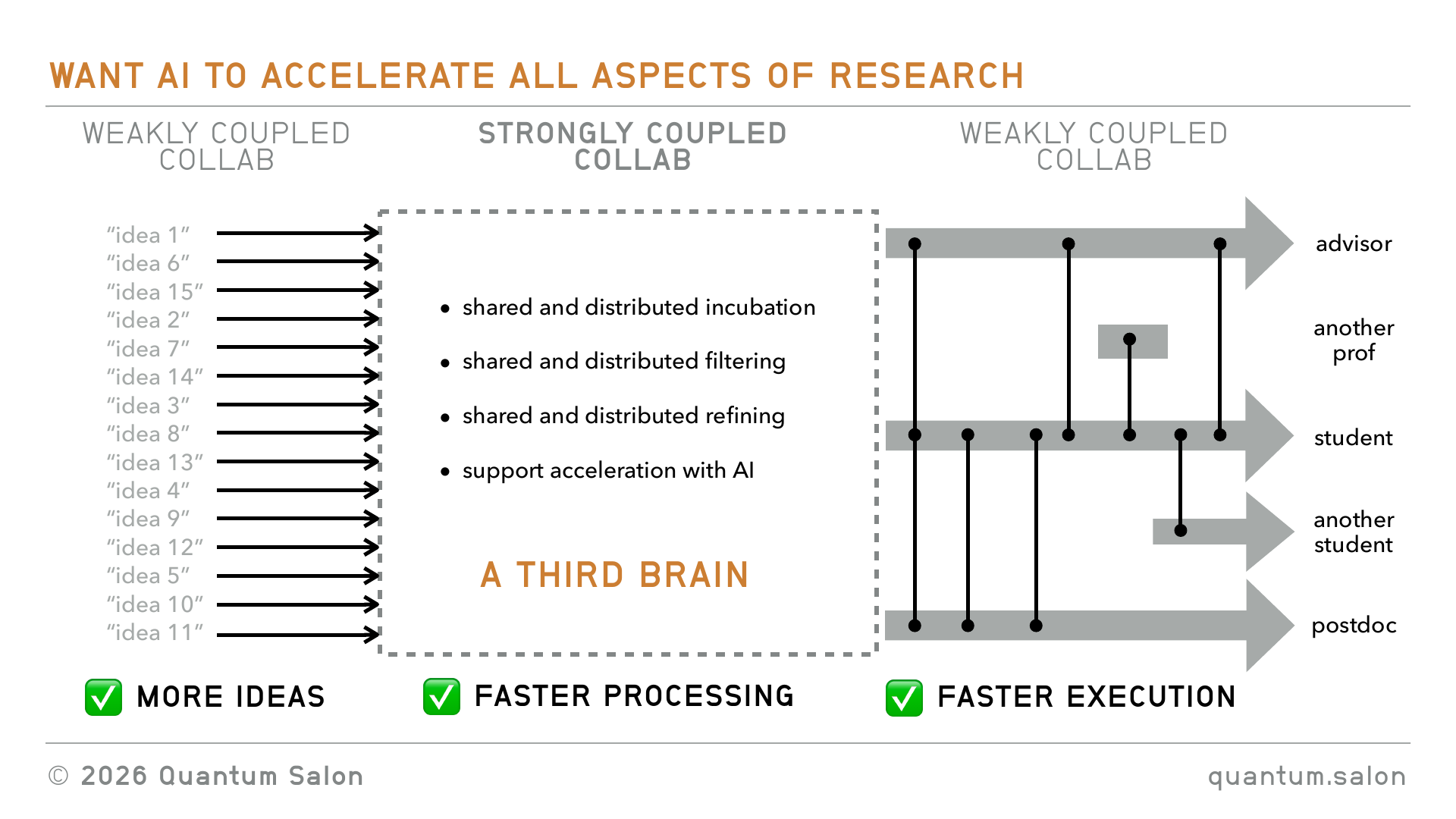
Another way of thinking about it, which is a physics analogy, is that I think of the start and the end as being kind of weakly coupled collaboration. You’re mostly doing stuff as an individual and talking to people occasionally. Because of this, you’re able to work as an individual with the AI to make things faster. But then here in the middle it’s this strongly coupled collaboration.
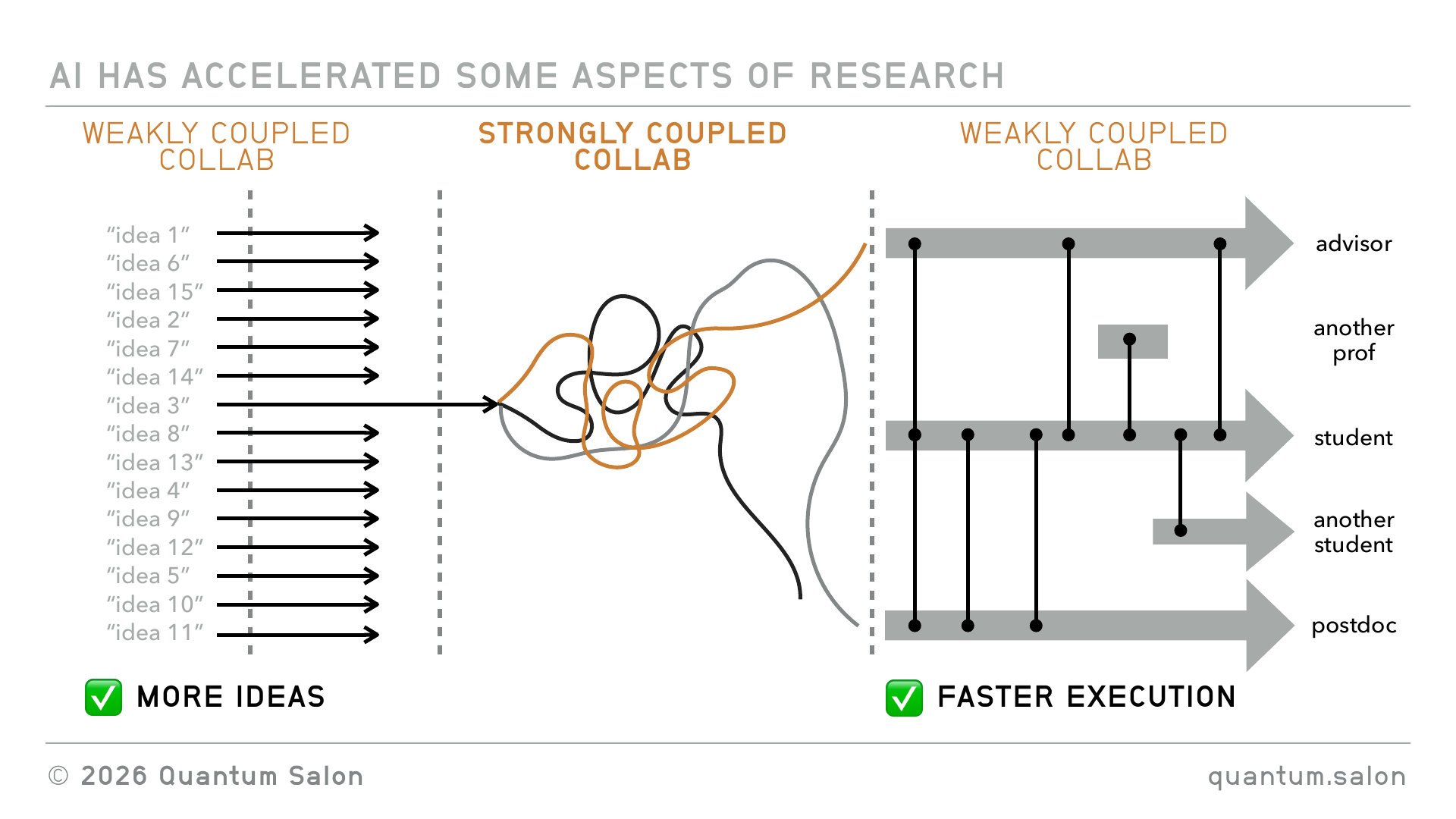
So I think what we want is to be able to use AI to accelerate all aspects of that research. We want not just more ideas, but then faster processing of ideas into projects that you can then give to someone to execute on.
It turns out that this very strongly coupled collaborative experience is something that software developers have been dealing with for decades. When they’re working on a codebase, that’s a highly messy collaborative thing, and they’ve figured out best practices for how to deal with this kind of collaboration. So that’s kind of to foreshadow what I want to talk about later. I want to pull a lot of these best practices from collaborative software development into the research process.
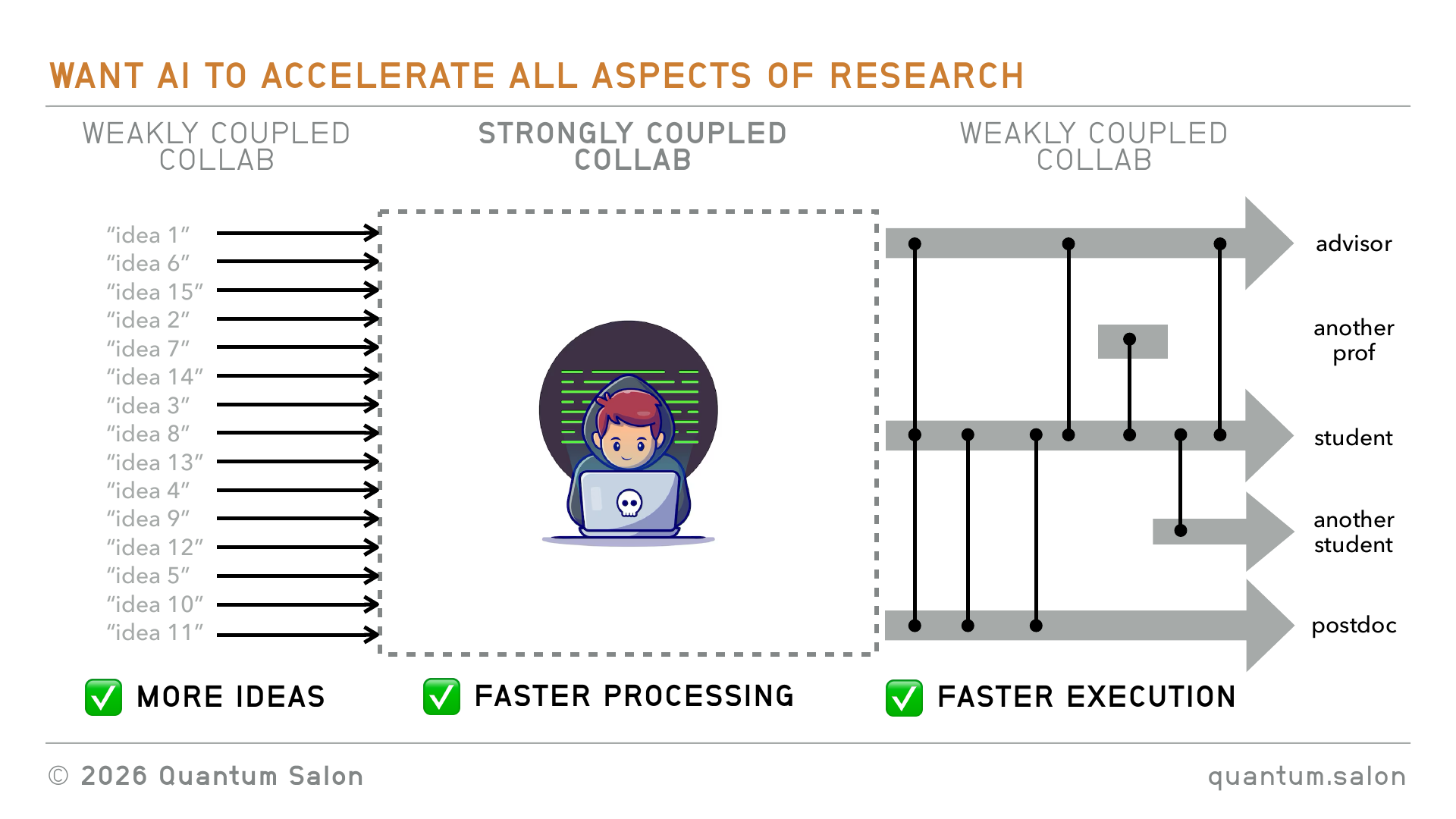
So what do we want? We want a shared and distributed incubation period, shared and distributed filtering, and shared and distributed refining of the idea into a project. And it would be great if we can use AI to support all of that. That’s what I’m coining here as the third brain, being able to do all of those things in a shared and distributed way.
The third brain
Okay, so that was the motivation. Let’s talk about this third brain.
First we need a shared praxis
Some of you may know Michael Nielsen. Michael Nielsen is most famous for his textbook Nielsen and Chuang, the quantum computing bible. He later went on to work in different fields. He had this book Reinventing Discovery from 2011, which I quite like. In fact he was here at Perimeter for a couple of years, or maybe a shorter period of time, sometime just before he put out this book.
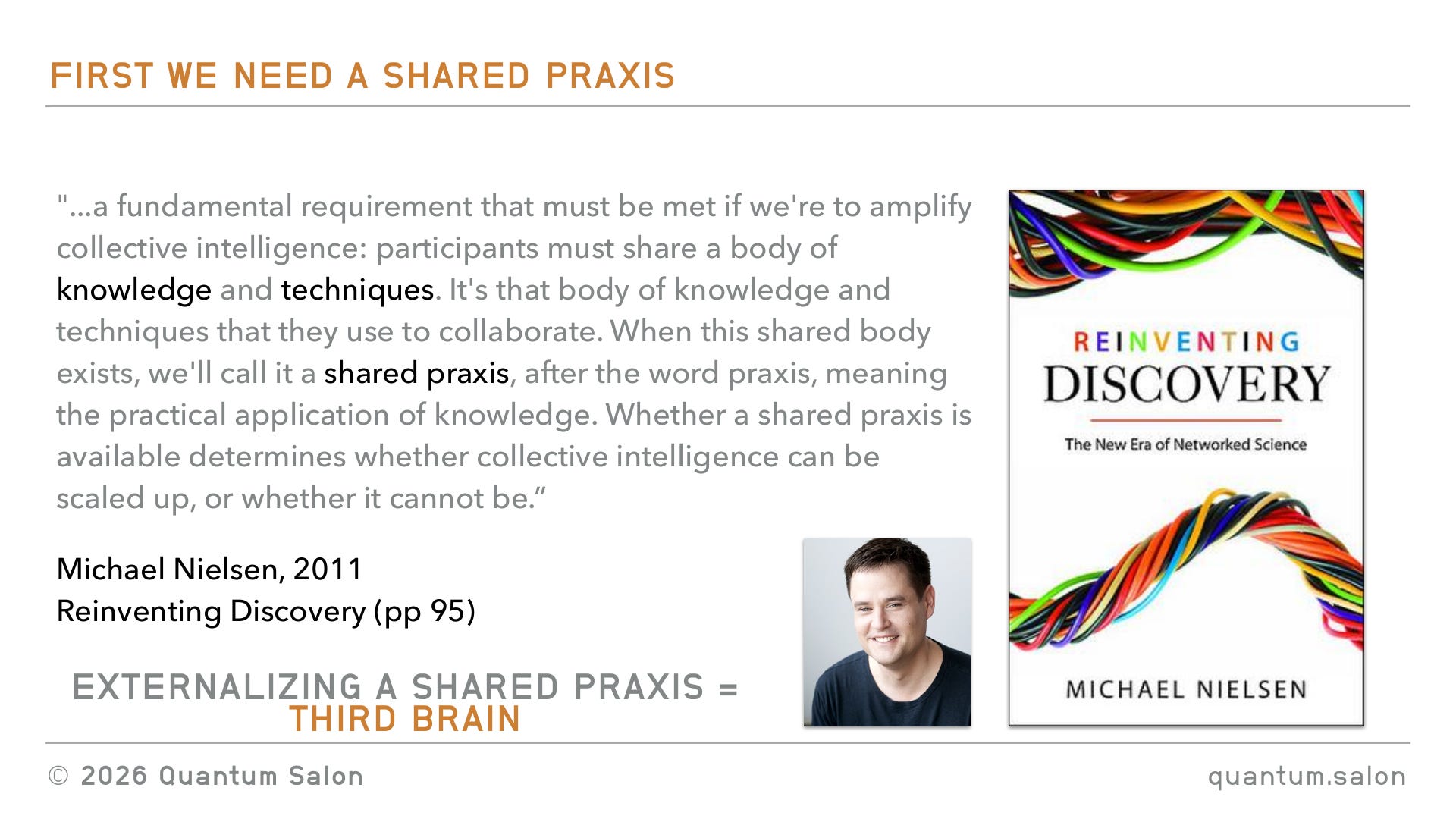
I want to quote stomething that I really liked in the book, this idea of a shared praxis.
He says that a fundamental requirement that must be met if we’re to amplify collective intelligence is that participants must share a body of knowledge and techniques. It’s that body of knowledge and techniques that they use to collaborate. When this shared body exists, we call it a shared praxis, after the word praxis, meaning the practical application of knowledge. And whether a shared praxis is available determines whether collective intelligence can be scaled up, or whether it cannot be.
In this book he talks about the fact that scientists already have this shared praxis. Once you are in science for a while you collectively share knowledge and share techniques. But I think that kind of knowledge is distributed mostly amongst people’s heads. It’s not like any of this is really encoded anywhere, for the most part. So the way I think of it is that externalizing this shared praxis and making it concrete, that’s what I see as this third brain.
Two levels, two halves
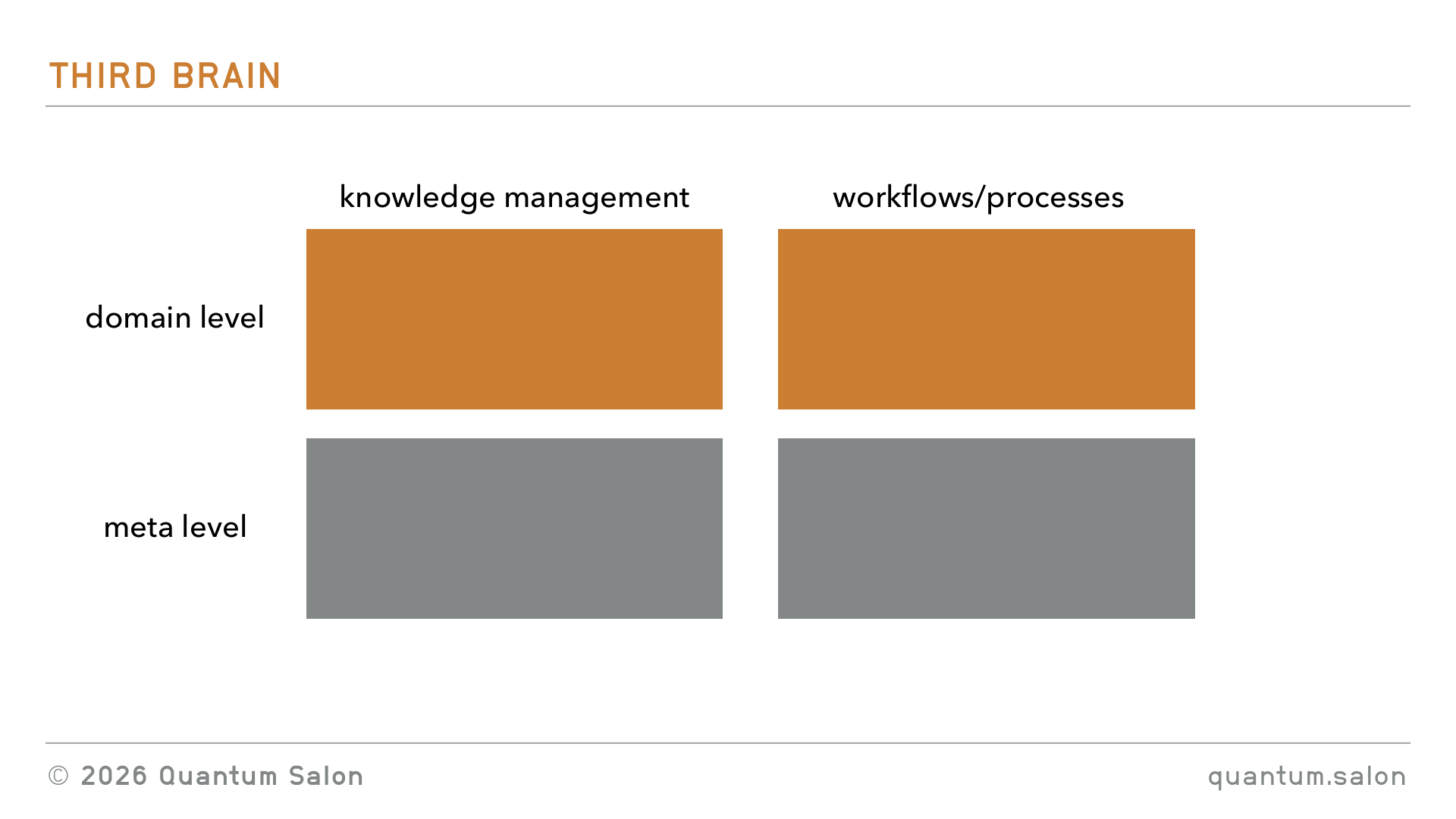
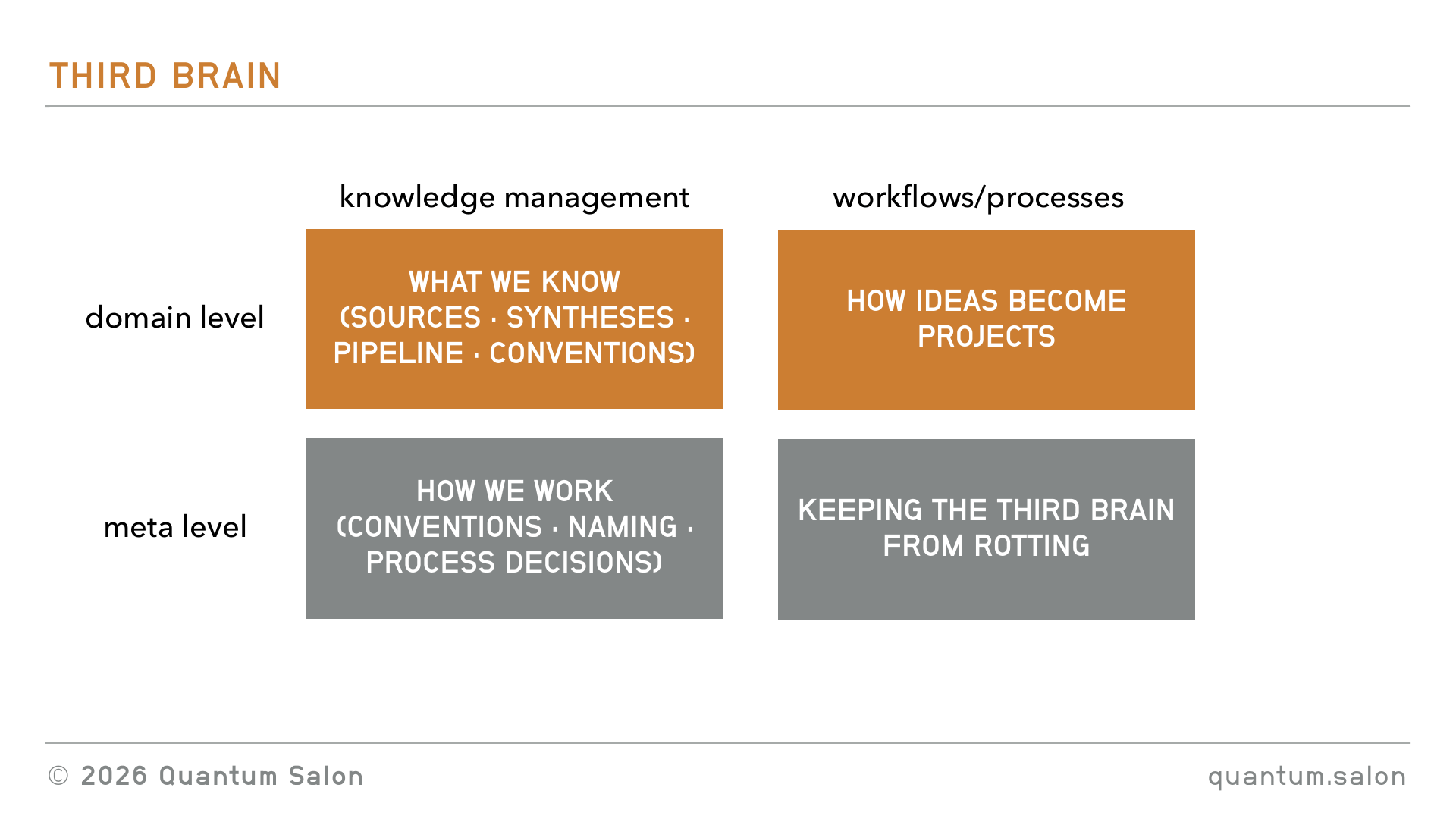
We want to break it down into shared knowledge management, and shared workflows and processes. And I want to do it on two levels. I want to do it at the domain level, so that’s the physics, the quantum foundations, math, whatever it is that we’re actually interested in doing science about. And then the meta level, which is more about how we do things. So knowledge about how we do it, and processes about how we implement all of this stuff. I’ll dig into all of these things in detail throughout the talk.
Knowledge management at the domain level
I want to start with the shared knowledge management at the domain level, and, okay, there’s like ten slides of folder setups. Which I think is actually critical and interesting, but if you’re bored you can tune out for a second.
I put the “serving suggestion” thing up the top there because I’m not dictating that this is how you should set up your knowledge management system. I think as a group, when you do this, you need to think about what is the thing that is going to work for you as a group. But I think it helps just seeing a concrete version of how somebody else would do it.
The way that I would do something like this is to split it up into sources of knowledge, syntheses of the stuff that’s in the sources, and then the pipeline, which is the items that we store that help us turn an idea into a project proposal.
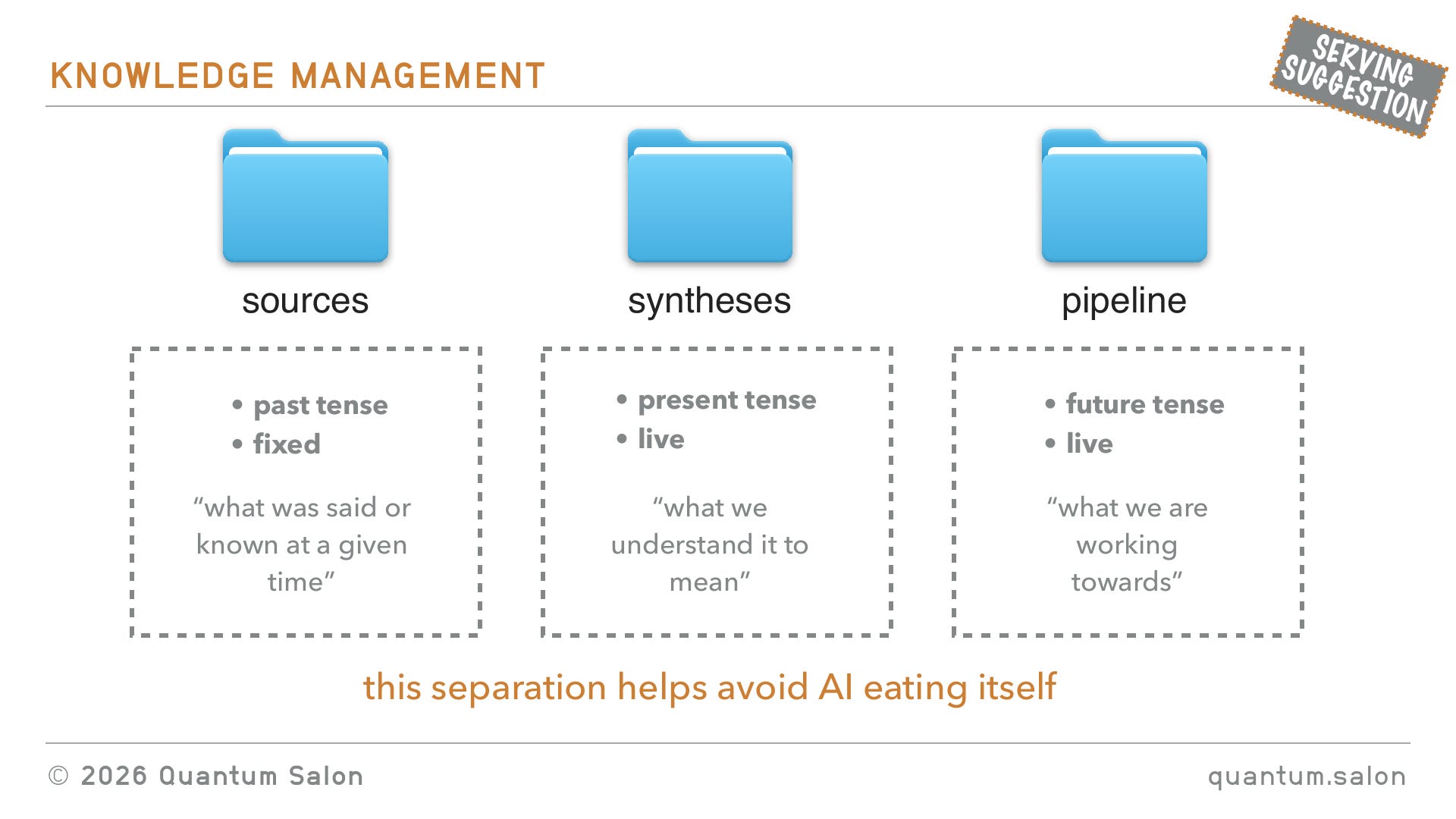
The sources are the things that are kind of past tense. They’re fixed. Once a source is in the knowledge management system, you’re not going to be changing it or editing it, and it’s essentially a record of what was said or known at a given time. Then the syntheses are things that we’re actually working with, so they’re dynamic. They change, and they’re what we understand these sources to mean. And then the pipeline is what are we going to be doing in the future, what are we working towards, and that’s also a live and dynamic thing.
The reason that I split it up this way is because if you’re using AI on all of these files, you really have to have this separation to avoid AI eating itself. When you get AI to synthesize something, it can create a document which, if you read it, you don’t find anything wrong with it, because you kind of know which things are 100% true and which things are fuzzy, and you don’t flag it as being wrong. But then if AI starts using that and eating it, it gets really overzealous and implements these things as “this is an absolute must” when you just mentioned something in passing. So I really want to separate between things that are inputs into the AI, these sources, and then these things that are outputs of AI and outputs of your work as well.
Source files
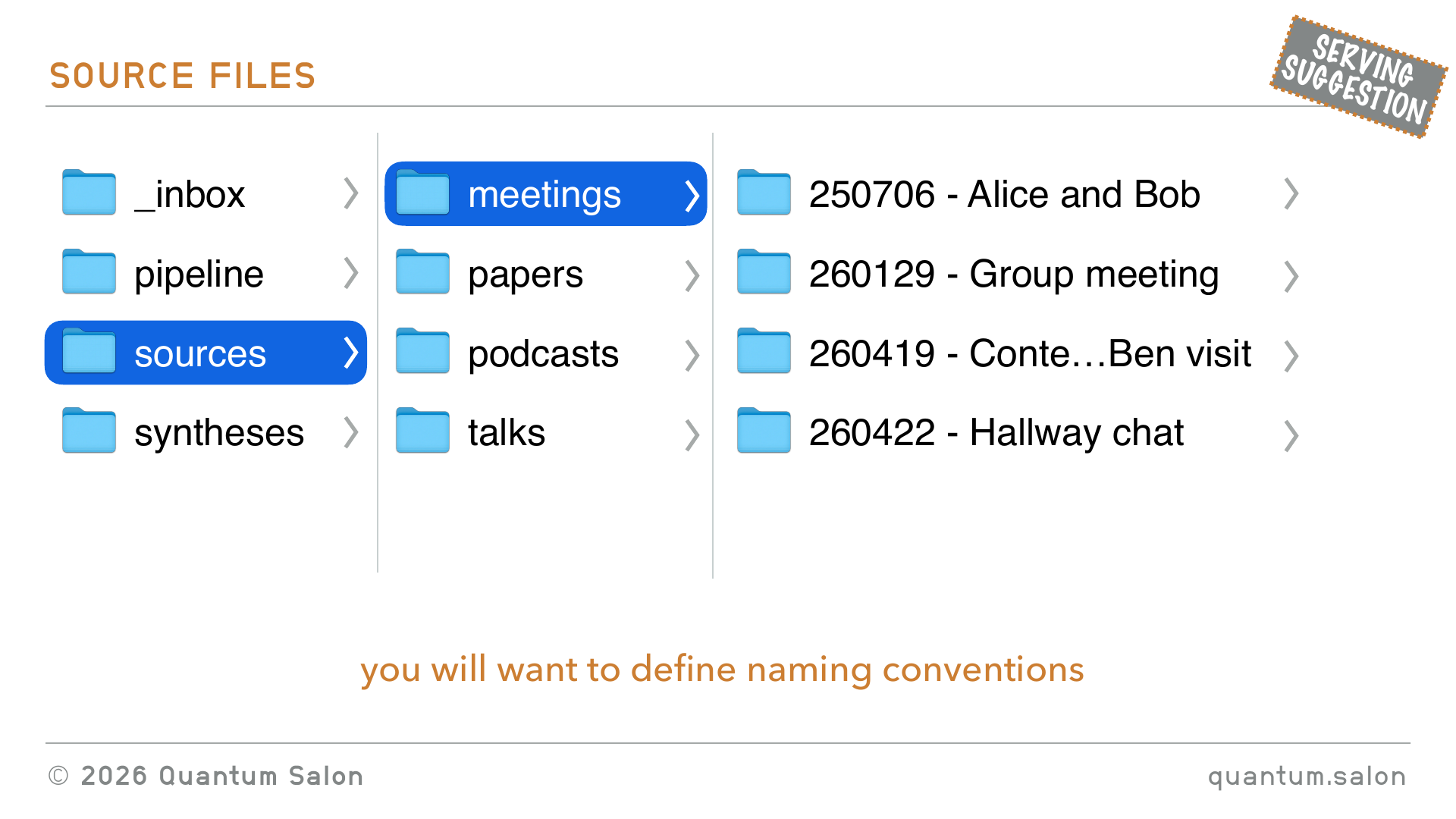
If I was to set up a directory that had these things, I would have my three folders. I’ll talk about the inbox in a sec, but you know, pipeline, sources, syntheses. Then in sources I would have meetings, papers, podcasts, talks, whatever, everything from your group. And this will grow as you create more sources.
Then you’re going to want to define some naming conventions, which sounds really boring, but is very important. I would have a folder for every kind of meeting.
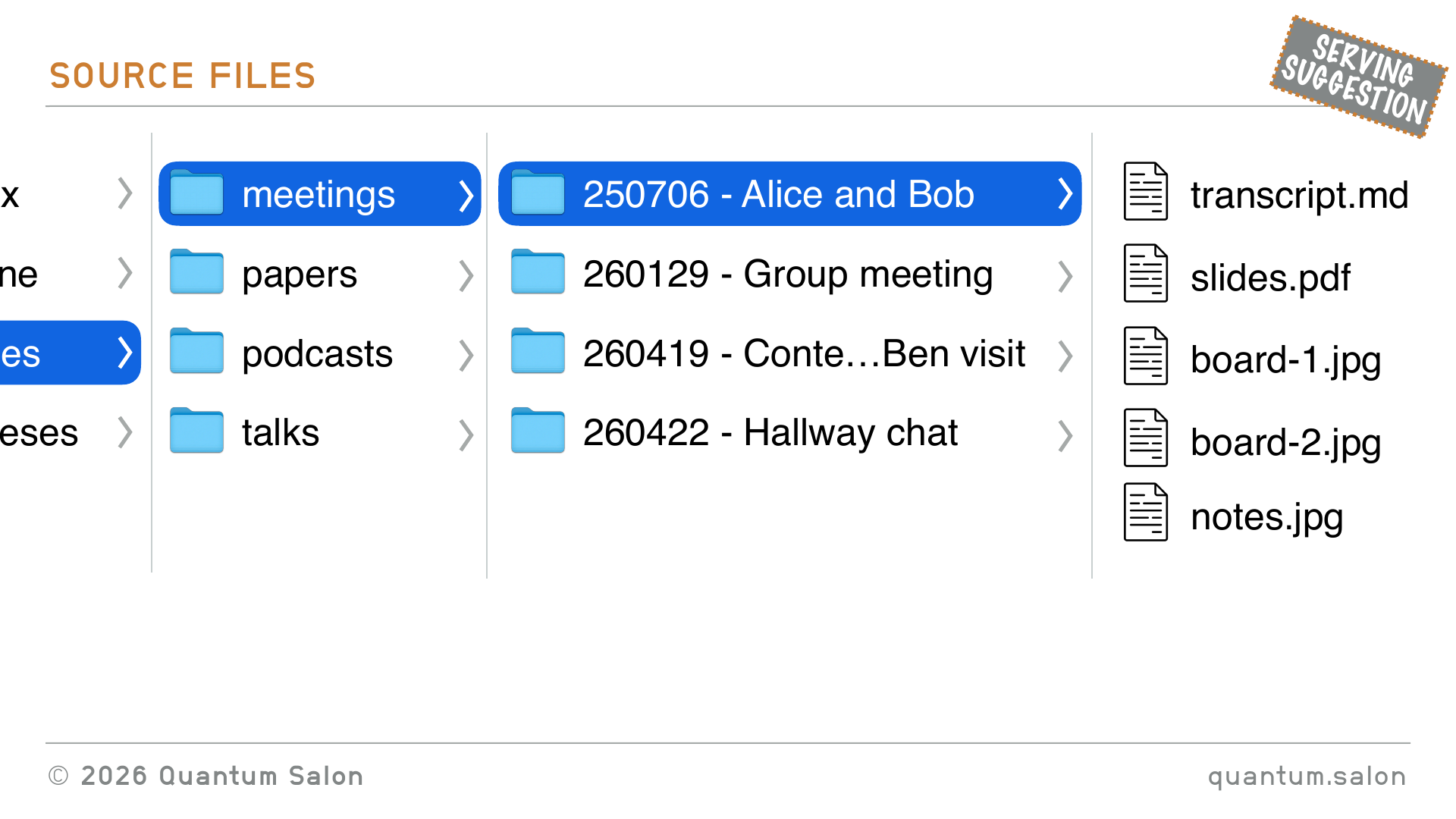
And then inside you have all of the artifacts from that meeting. So maybe some photos from the whiteboard, slides. And because AI is really good at taking text files, in particular markdown files, I would even go as far as transcribing these boards and notes into markdown files and keeping them in that folder as well.
Synthesis files
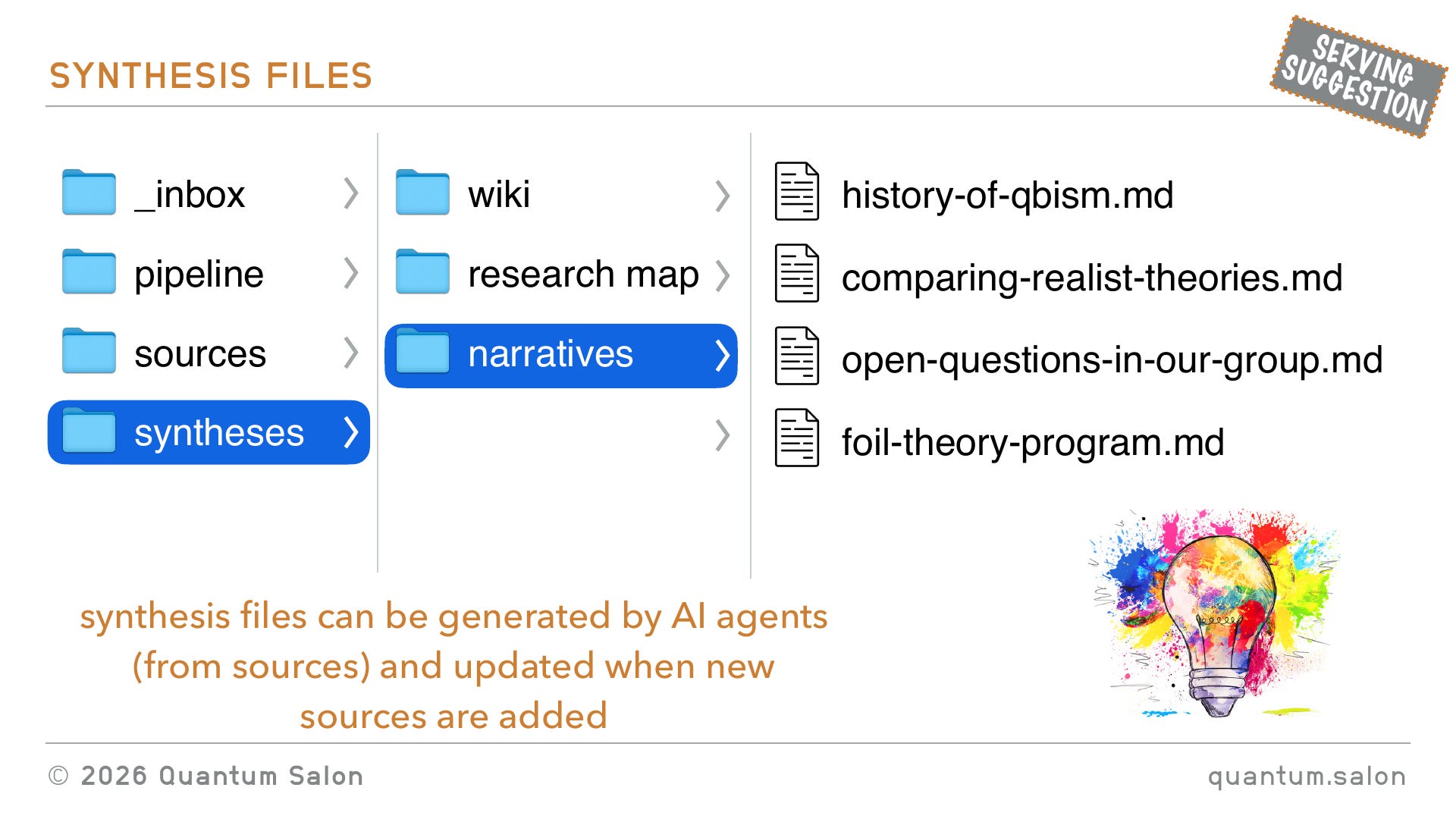
Then syntheses. I think of these as files that are generated by AI. You can ask it to go through all these papers and find every reference to contextuality and give me a narrative of how ideas about contextuality evolved over time, or something. So this could be where you store your wiki. A wiki would just be a collection of markdown files that connect to each other.
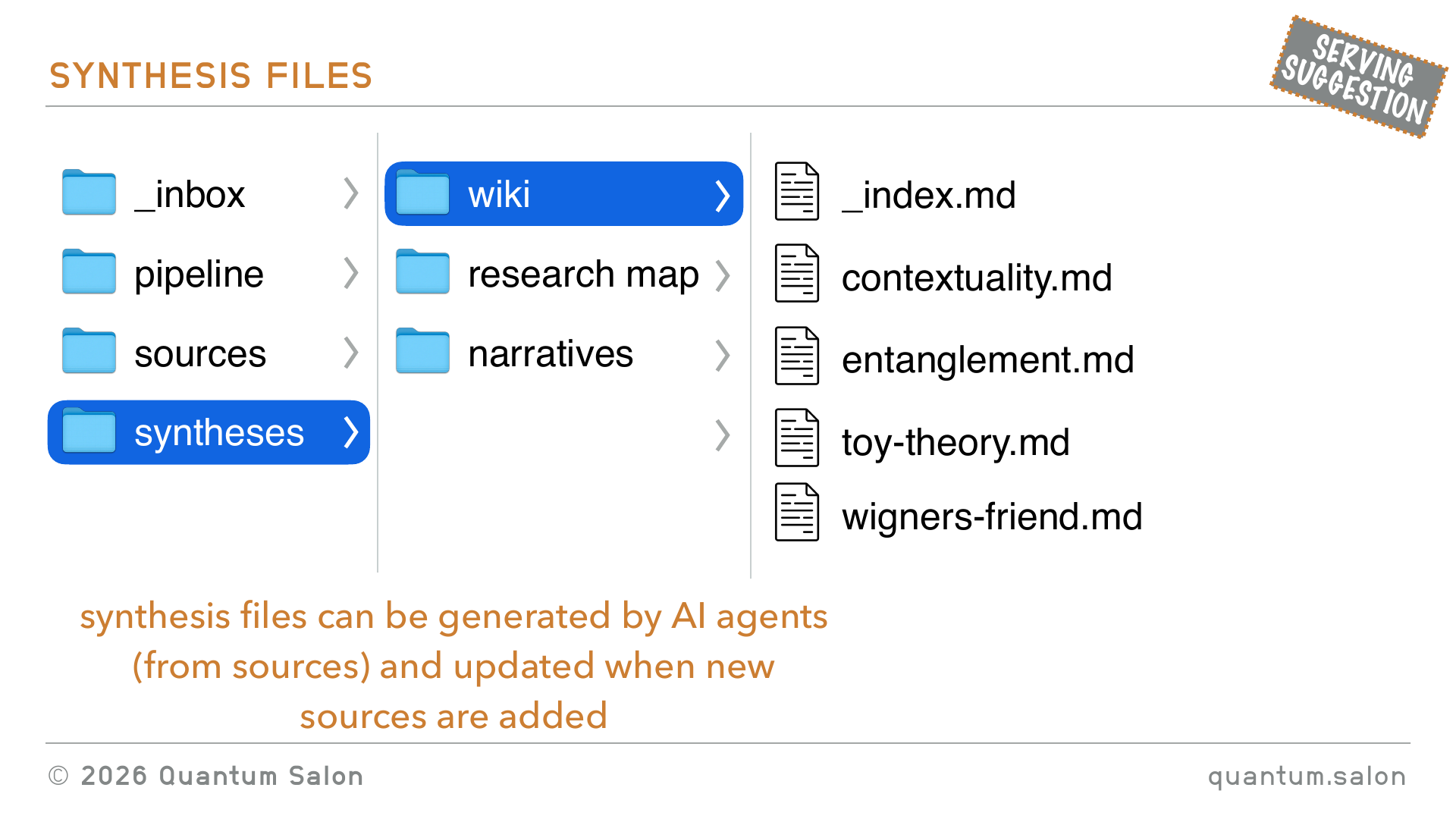
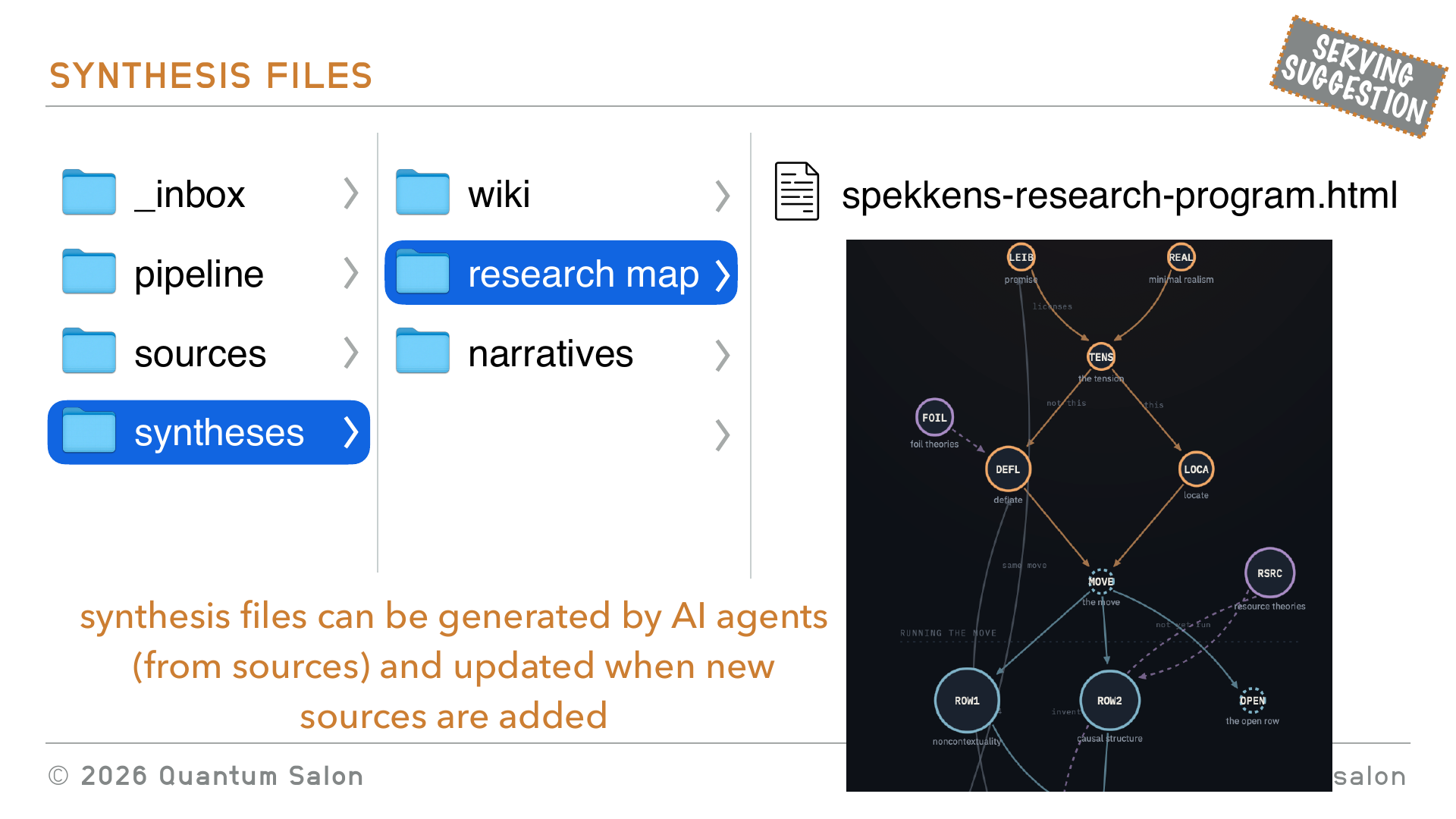
Maybe you make research maps. This was a fun one. Rob, I took all your arXiv abstracts and put them into AI and said, make me a research map of Rob’s research program. And it had this mind map. There was a lot more stuff that I didn’t include, but it was a fun way to visualize how your ideas have changed over time.
And narratives. Like I mentioned before, maybe you can get it to go through papers and give you a history of QBism or something. I have this lightbulb to remind me to say, you can get really creative with this. There are a lot of fun things you could do that you wouldn’t do if you were doing it manually, because it just would be too labor intensive. But if you ask your AI agent to just go through all the sources and create these things, I think you can have new ways of understanding the body of literature, or the meeting that you had. Maybe make a connection between what was discussed in this meeting and this paper from however long ago.
Pipeline files
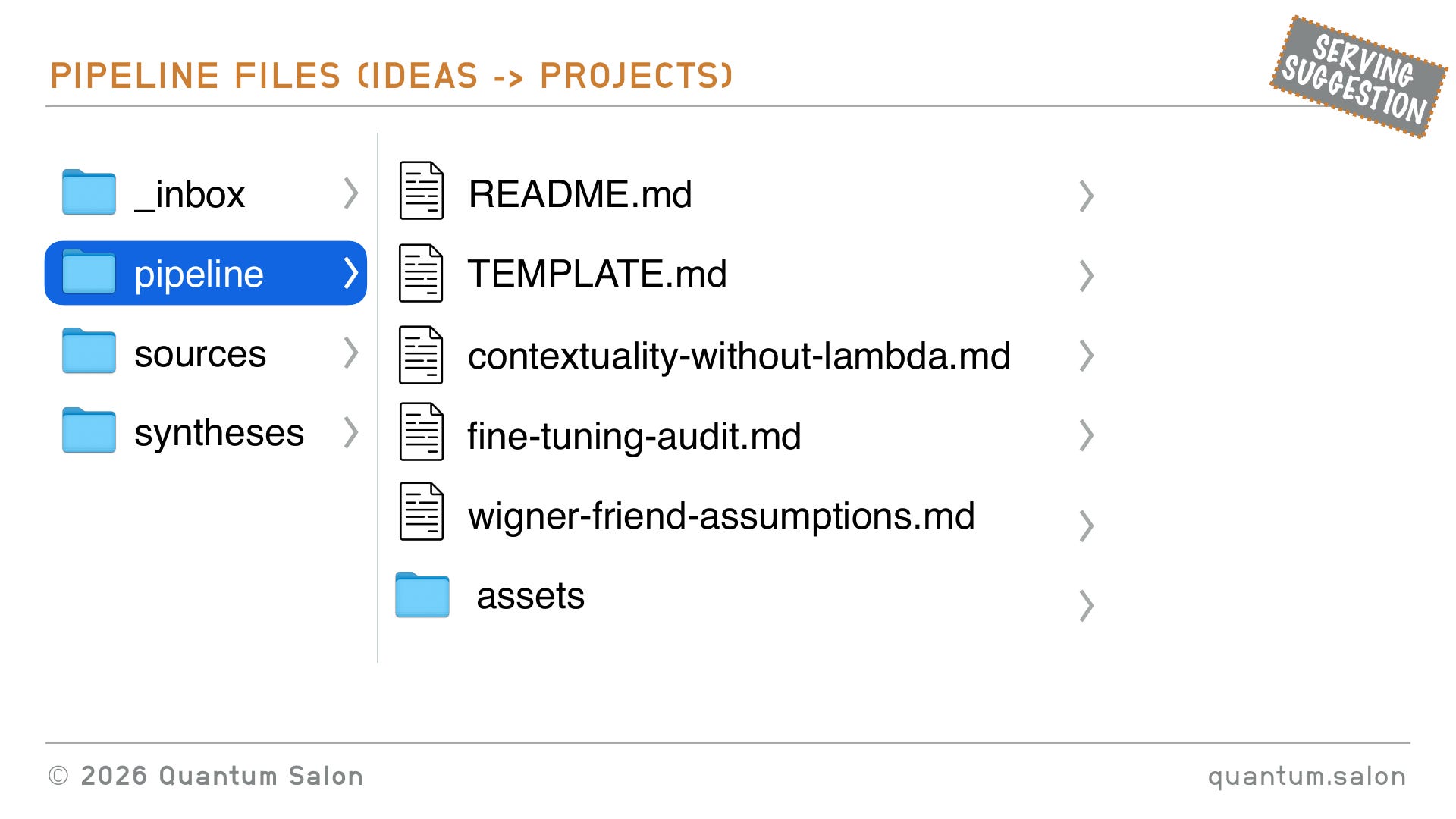
So that’s the synthesis files, and then I’ll talk more about the pipeline, but essentially the pipeline would be a template, which I’ll talk about later, and then instantiations of that template for various ideas that you may have had. Like, oh, it’d be great to have a project on that.
Conventions files
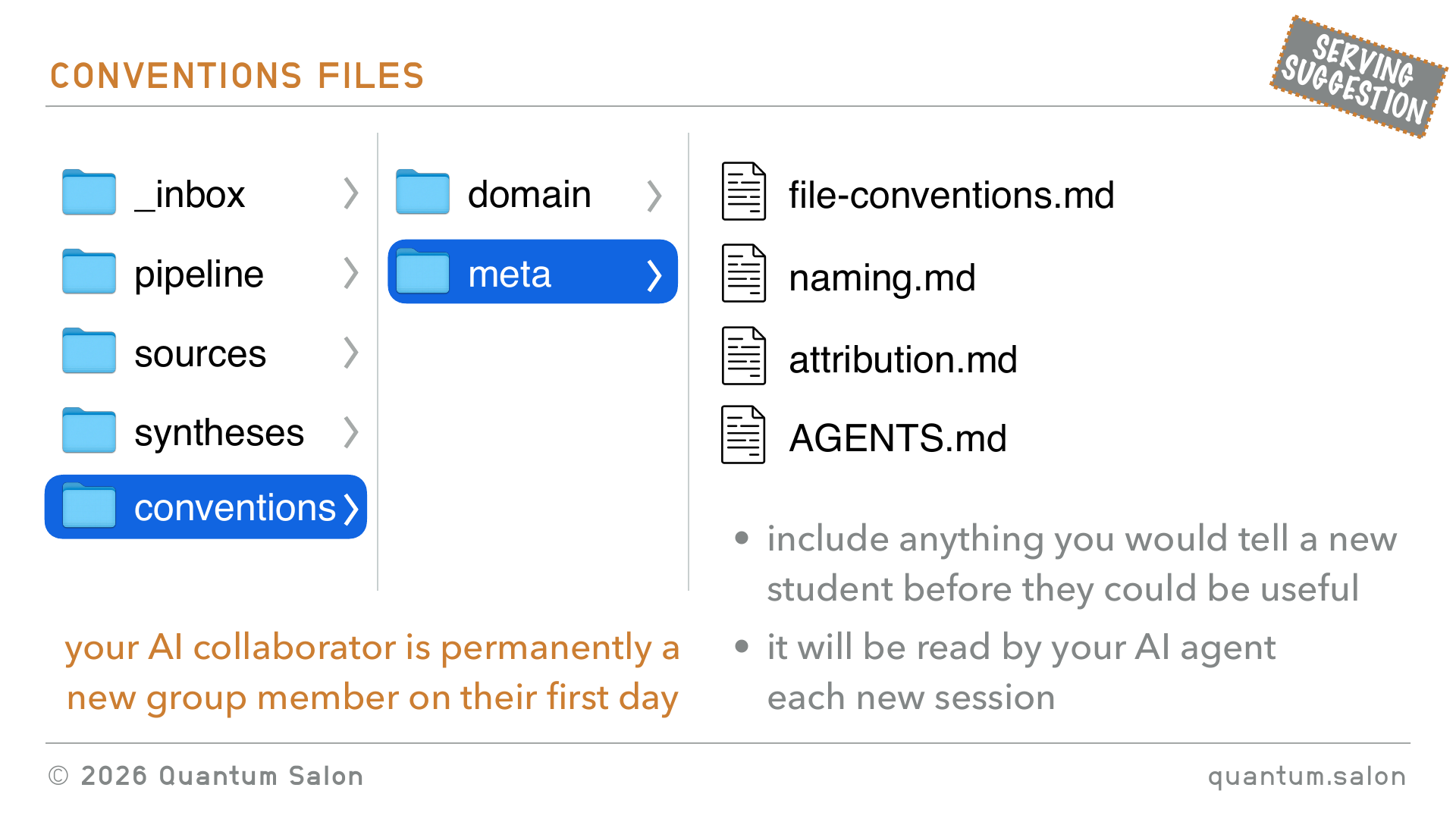
And then I think you need an additional folder, which is conventions. This is because every time you bring in your AI collaborator, it’s permanently a new group member. It doesn’t have a memory of all of the stuff that you’ve been talking about. So you need to give it a bunch of context every time you create a session with the AI. You want to include anything you would tell a new student before they could be useful. And it’ll be read by the AI agent every time it gets into this third brain.
On the domain side it’ll be things like, what are the notations that you use in your research group, what’s a glossary of things. Different words might have different meanings in the literature, so you want to agree as a group how you define this particular thing when you use it. What is your idea of a rigorous argument. All of these things would be encoded, and these are to be read by the AI but also read by new people who are maybe joining the project.
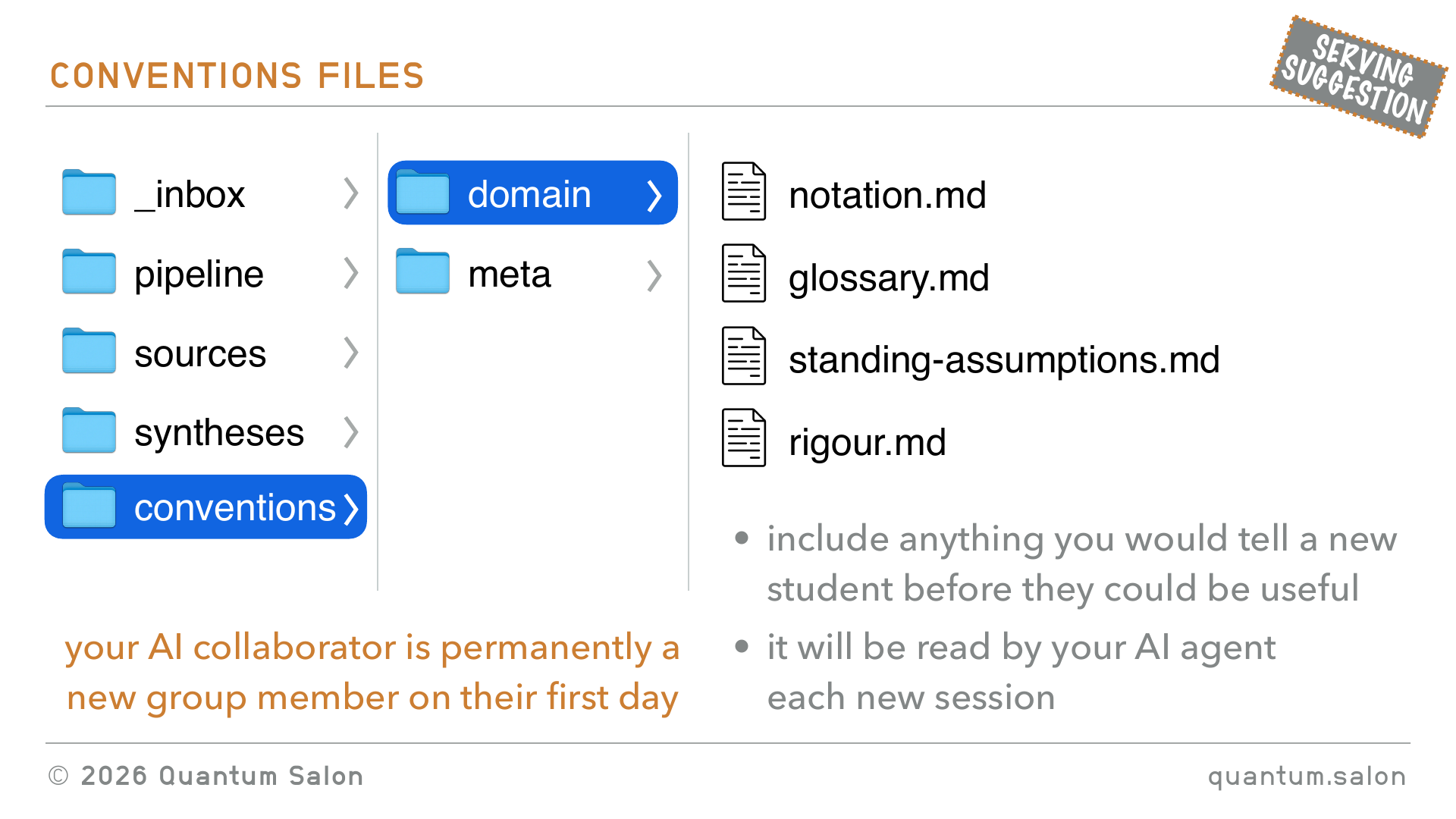
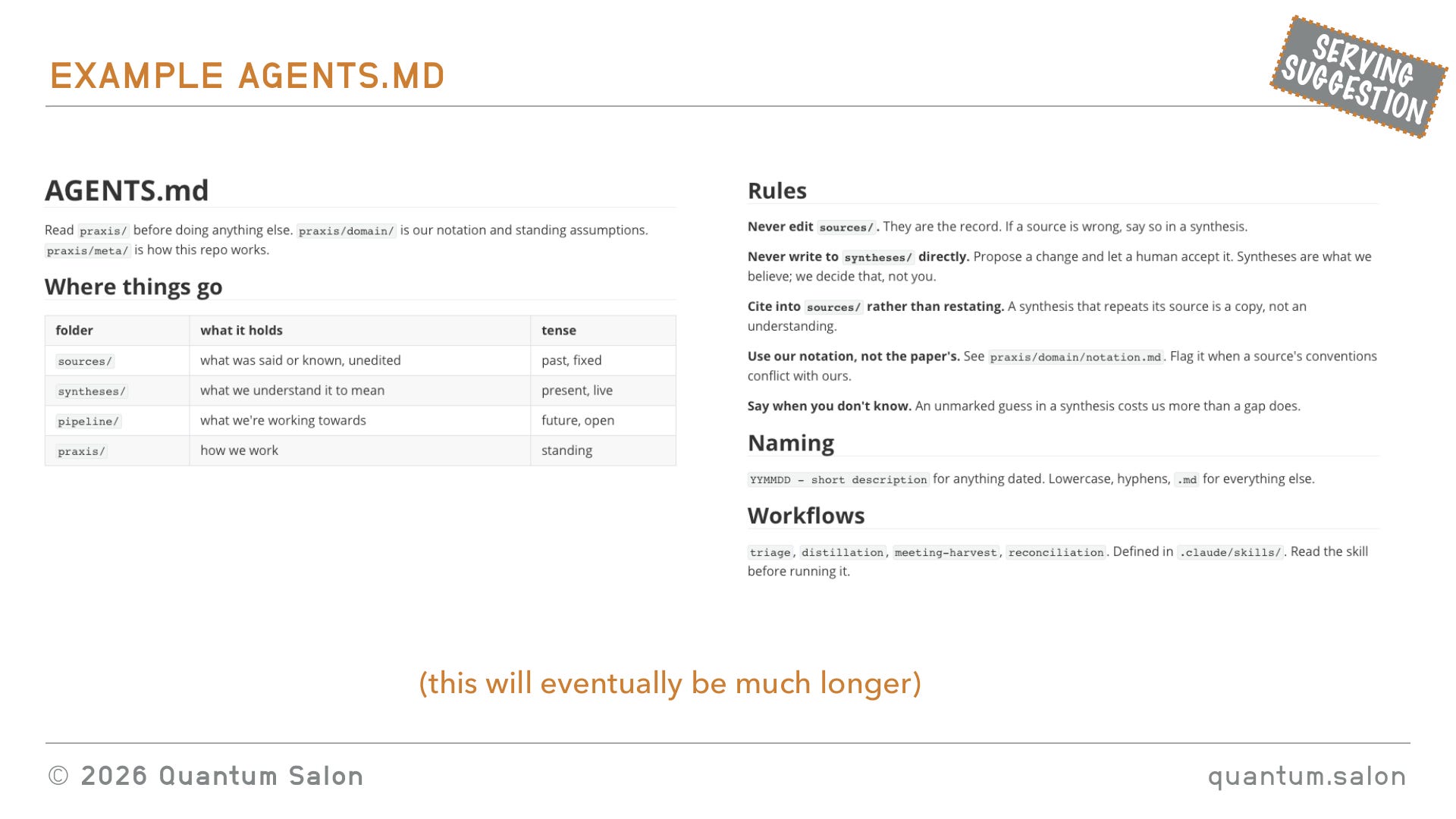
And then on the meta side, things like file conventions in your folders, how do you name things, how do you give attribution, and so on. And then there’s this file AGENTS.md. This is kind of a standard file now across Claude and Codex, which is the thing that AI knows to read when it first gets into a directory. I started putting it here because conceptually it’s a meta convention, but really the standard is to just have it at the root of your directory, so it knows where to find it. So you kind of want to set up your files like this.
AGENTS.md is a markdown file. This is just a short version of it, they can get really, really long, but it’s essentially to just tell the AI everything it needs to know about this folder, about this repository or whatever it ends up being. So it defines things like, this is what’s in the folder, this is where things are, what are some rules. And then it also points to other files that are useful for when it’s doing different things, but maybe you don’t want it to load all of those things every time you instantiate a new session. So it’s essentially just instructions for the AI every time it joins the project.
[here there was some Q&A about agents; see video]
It seems like a lot of overhead
Okay, so that was the knowledge management side. On the domain level, what do we know: sources, syntheses, pipeline, conventions. And then on the meta level, what are the processes, so this is how are we going to work.
One thing I want to say: this seems like a lot of overhead. But wanting to use AI with all this, it’s necessary to just make sure that you have a very nice clean third brain, or second brain if you’re doing it just by yourself. But also, I tried doing stuff like this a couple of years ago, before AI, in a different context, and it was just too much to do all the documentation myself. So I also think that having the AI, while it makes it necessary, it also makes it cheap, because it can now run all of this stuff without you having to do it manually.
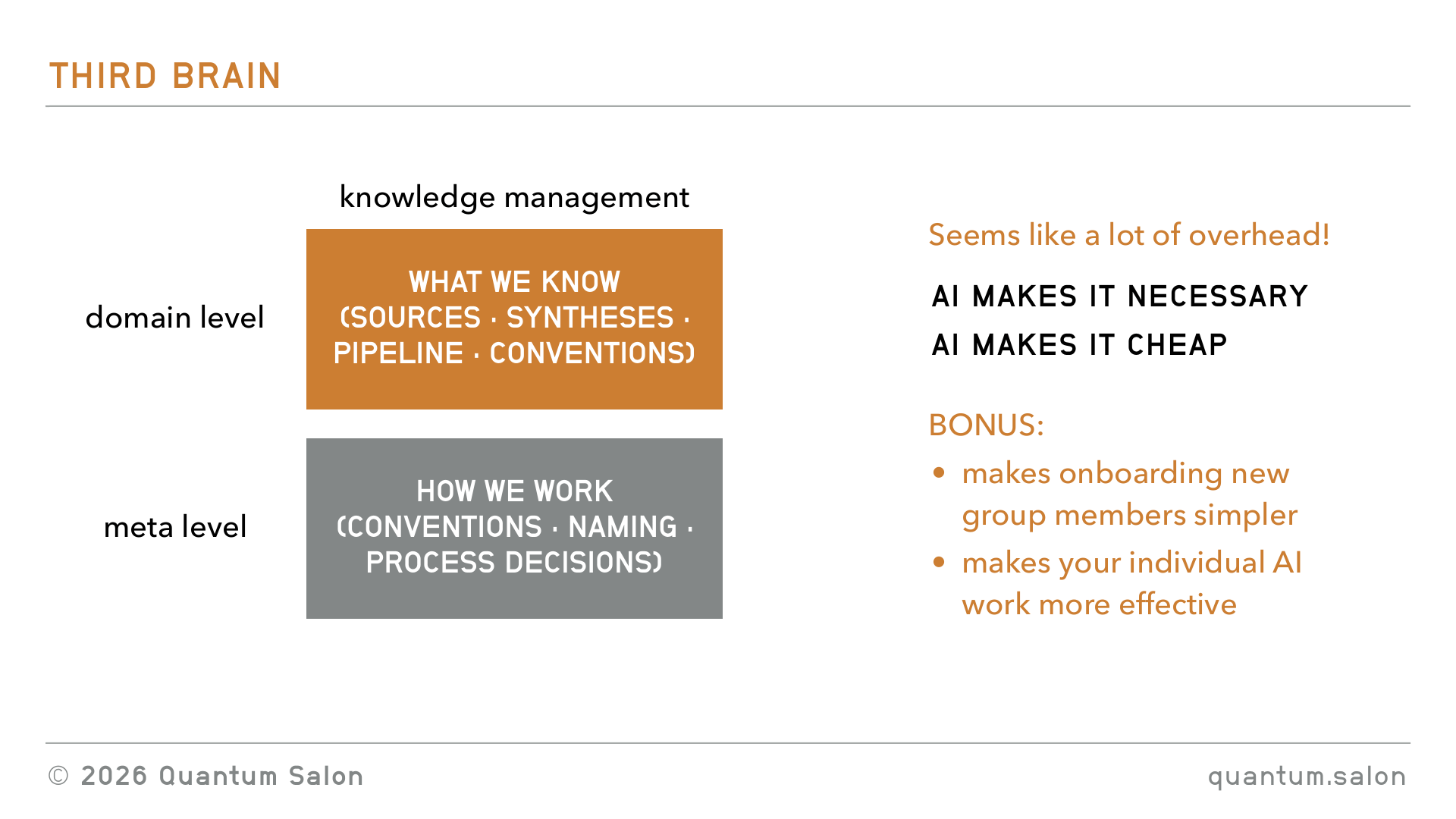
And I think the bonus of doing all of this is that it also makes onboarding new group members easier. If you already have all of this set up, then when a new person joins they can just go in and get the AI to explain what the group has been working on for some time and what are the things that they need to know. And it also makes your individual work with AI more effective, because you’ll pick up a lot of these best practices.
Workflows and processes
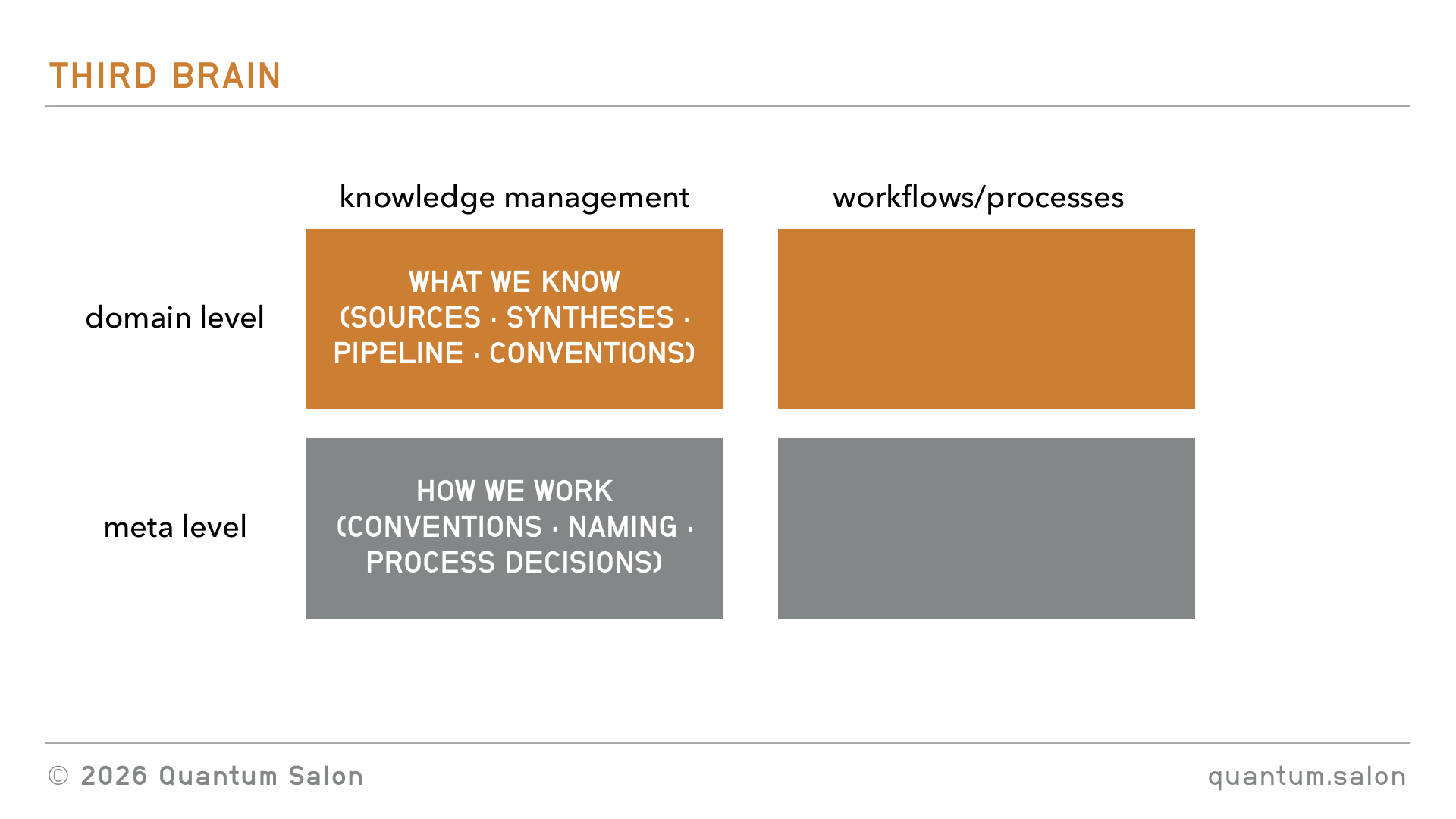
I’m going to jump to the meta level first, because I think it’s a little bit easier to describe.
Meta level: keeping the third brain from rotting
These are just some examples of workflows you can set up that your AI will do to keep this directory clean.
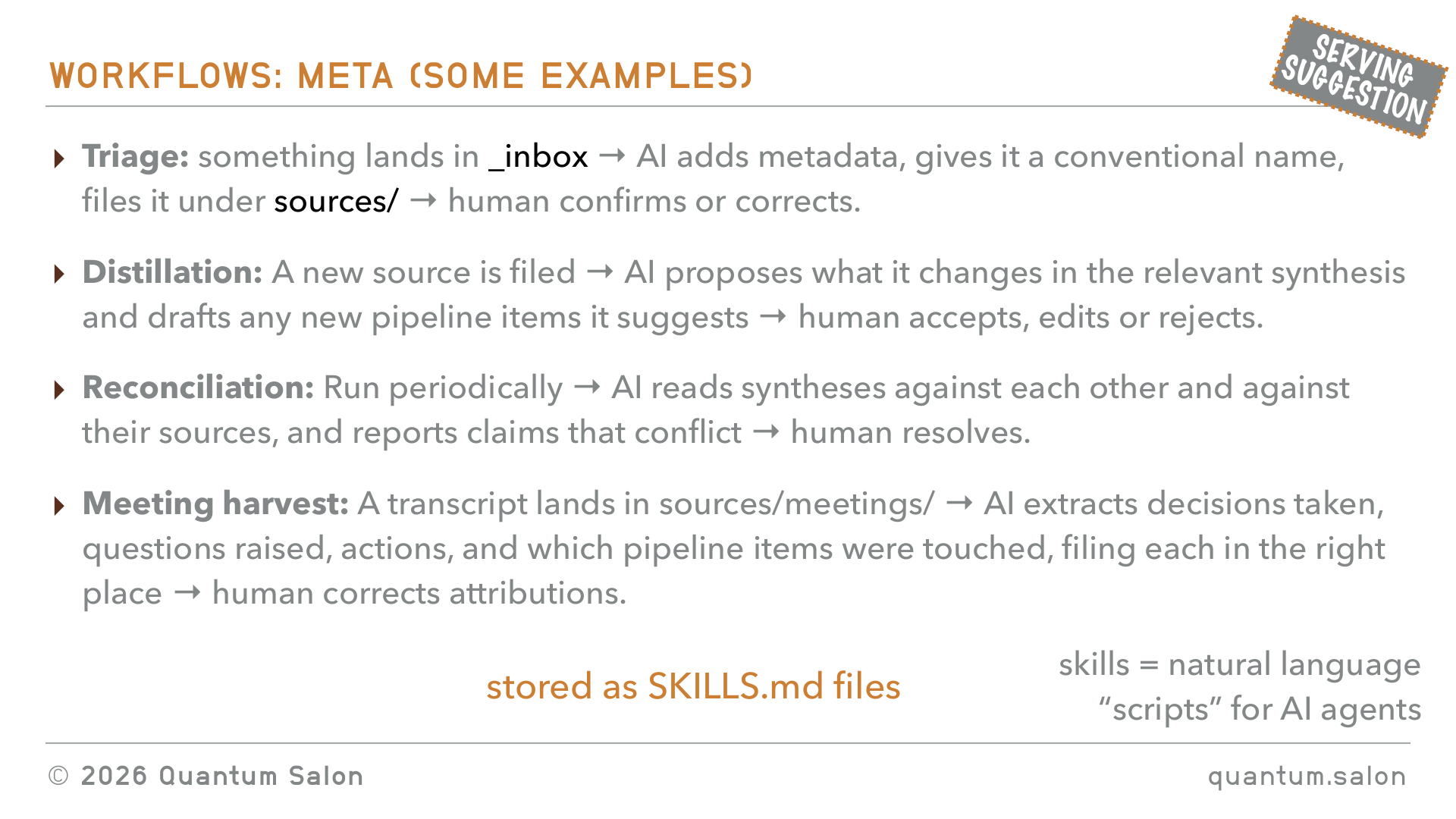
For example, the triage. Maybe you drop a paper into the inbox and then AI adds metadata, finds out where the links are, gives it a conventional file name, files it under the appropriate source, and then it says, human check, did I do it right? So that’s something you don’t have to think about, where do I file this thing. It’s always just drop it in the inbox, it’ll do it on its own.
Then a distillation thing. For example, if a new source has been filed and you have all of these different synthesis files already existing, like maybe your wiki or you have some kind of map, and it files an extra paper, you can just get it to go through all of the syntheses and propose changes. Like, oh, I think this paper should slot into the wiki here, or you should add a node in your mind map here. And then at the end the human accepts it or rejects it.
You can have a reconciliation thing where periodically, maybe once a month, it just goes through the whole directory and highlights, are there any stale things, are there things that are contradicting that need to be resolved.
Or maybe you’ve had a meeting. Maybe we’ve had this meeting here and we’ve been recording it with Granola or something, and we have a transcript of the meeting. You can just dump that transcript into the inbox and it goes through and extracts, did you make any decisions as a group, were there any questions raised, are there any actions, what pipeline items need to be updated. So you can just get it to extract all of these things that make sense for you as a group.
All of these workflows are going to be stored in these SKILLS.md files. These are the natural language scripts for AI agents. And you’ll come up with more of your own workflows that make sense for you.
Domain level: how ideas become projects
Okay, so that was the workflows on the meta level, how to keep everything clean. But now I wanted to talk about the workflows for the domain. So for taking the ideas that you have, all of these ideas that you’ve generated, and turning them into projects.
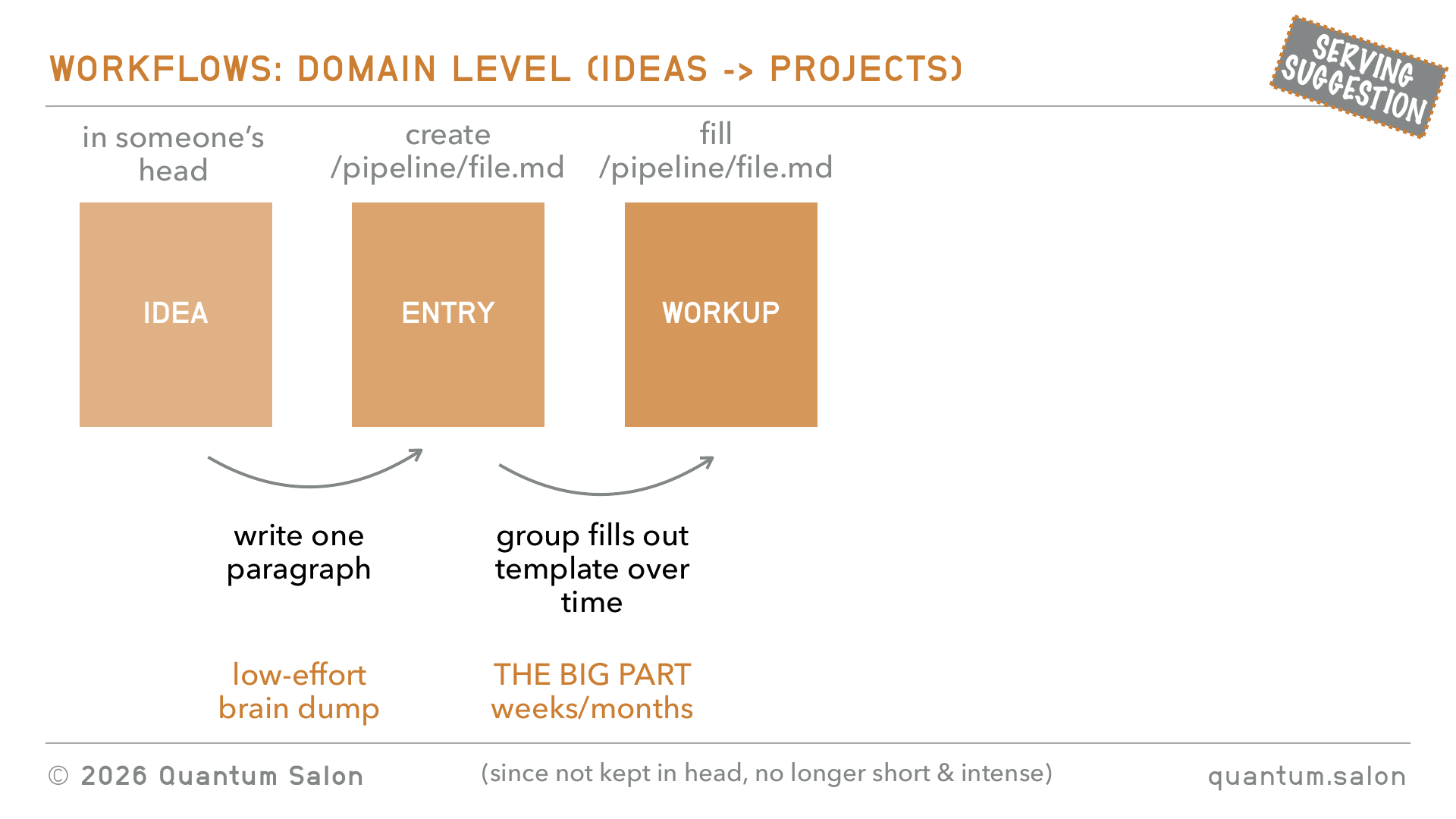
I think ideas are just going to start off in your own head, and I would say the first step of this pipeline that I’m proposing is that it should be just a really low-effort brain dump. You don’t want to go through this intense weekend of teasing everything out, you just want to get it out of your head and put it somewhere. Essentially it should be just one paragraph that you can write in 30 minutes or something, that is going to give enough information for the rest of the people in the group to make progress on it. So I would create a file from the template in that pipeline folder, and it just has the one paragraph. That’s fast to get it off your brain and it’s sitting there.
Then, as a group, we all have access to this template.
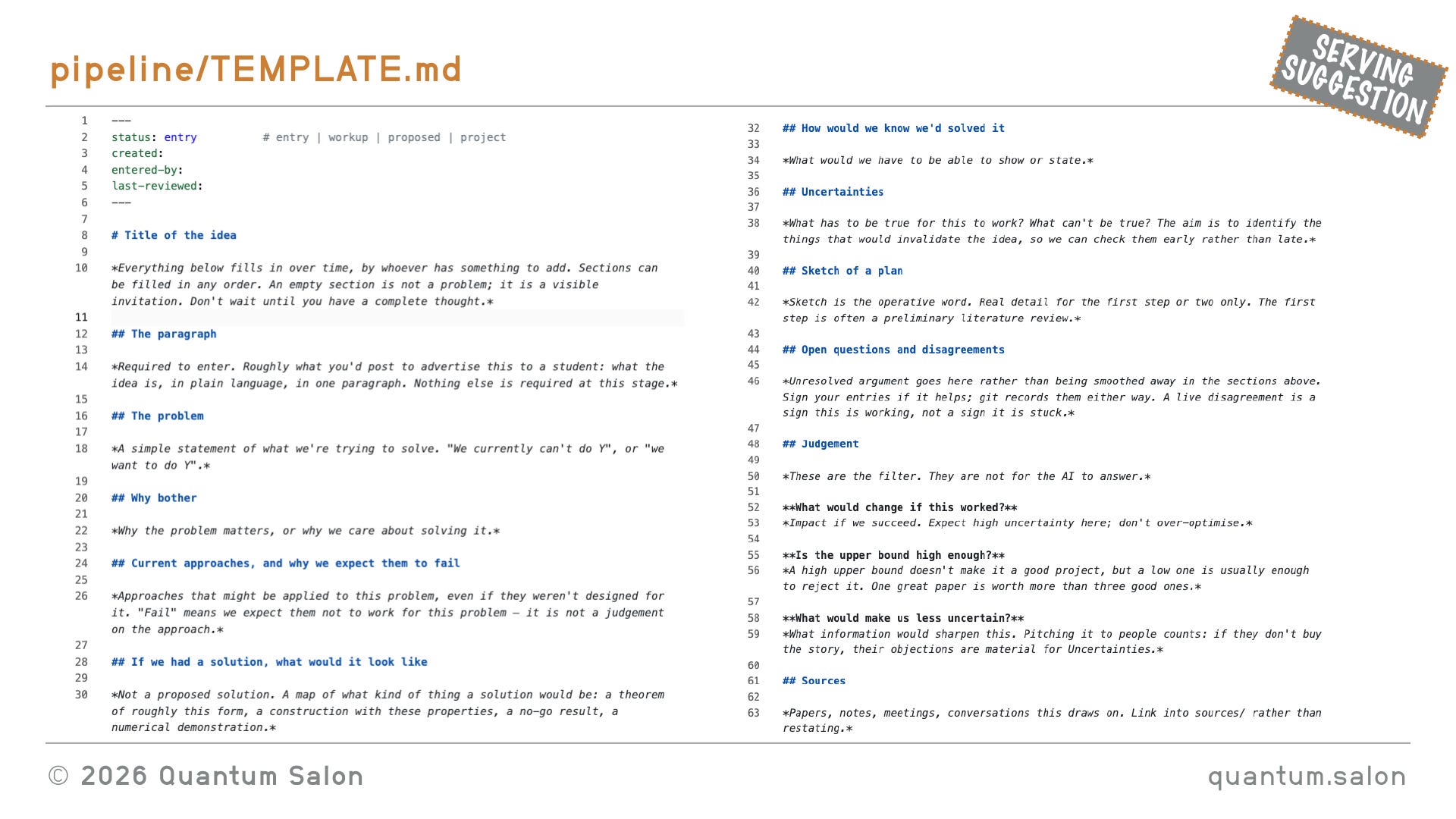
It has a whole bunch of things that usually you feel need to be answered before you can work on a project as a group. This is going to be something that the group fills out over time, and it’s the big part of this process. It might take weeks or months. And since it’s not kept in someone’s head, since you’re not juggling all this context, it doesn’t need to be this intense session. It can be something that is done over weeks, over months, by different people that are communicating in a way that is distributed, and that keeps all of the context. And then the incubation period is kind of woven into the fact that you’re taking some time to work this through.
The template above is the raw markdown, which is what the AI wants to read, but markdown is nice because you can open it in a markdown viewer and it makes it human readable.
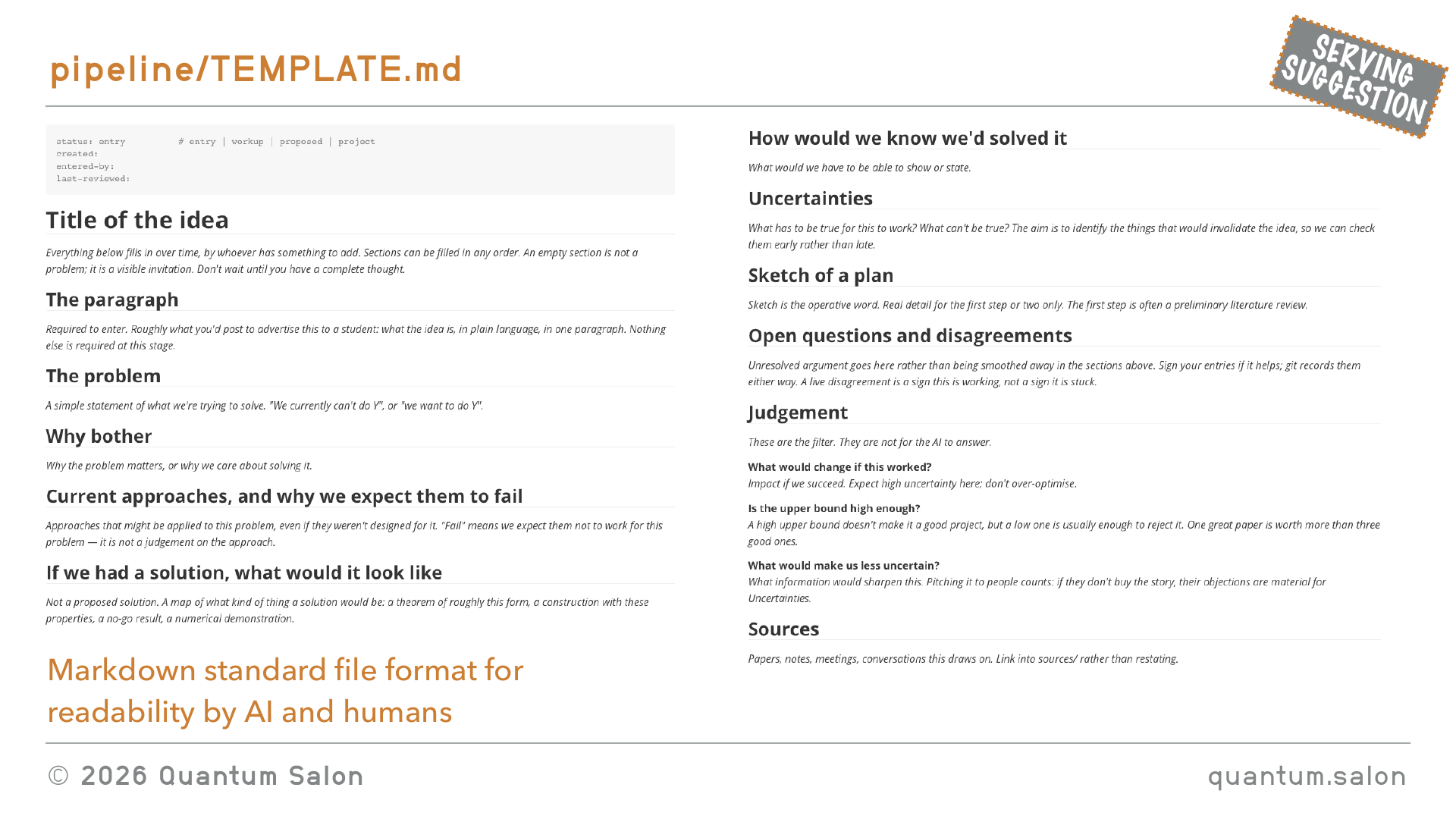
So it could be something like, okay, this is where you dump your paragraph, then a simple statement of what you’re trying to solve, why bother, current approaches and why we expect them to fail, if we had a solution what would it look like, how would we know we’d solved it, all sorts of things. You’ll come up with what are the things you generally need to know about a project before deciding that you should work on it. Maybe a whole bunch of sources. So this is the thing that you collaborate on collectively and have discussions on.
And I just want to highlight, markdown is pretty much the standard file format for readability by humans and AI. So that’s why you see everything usually in markdown files.
From workup to proposal to project
So this is the big part. You fill out this template that has all of the information that you need, and then you can have the AI generate some proposal that then gets sent off to the winter school or whatever. So this is something you sign off on, do we like what the AI proposed? And then I think once this thing is a well-defined project that people can start working on, I would move it out of this third brain folder and create a new folder that is now the project, which can bring in external collaborators. Maybe a whole bunch of PSI students, and you don’t want them having access to your entire third brain, but just to that project.
So that’s the pipeline that I’m imagining, and all of these workflows would be described in the README file stored in this pipeline.
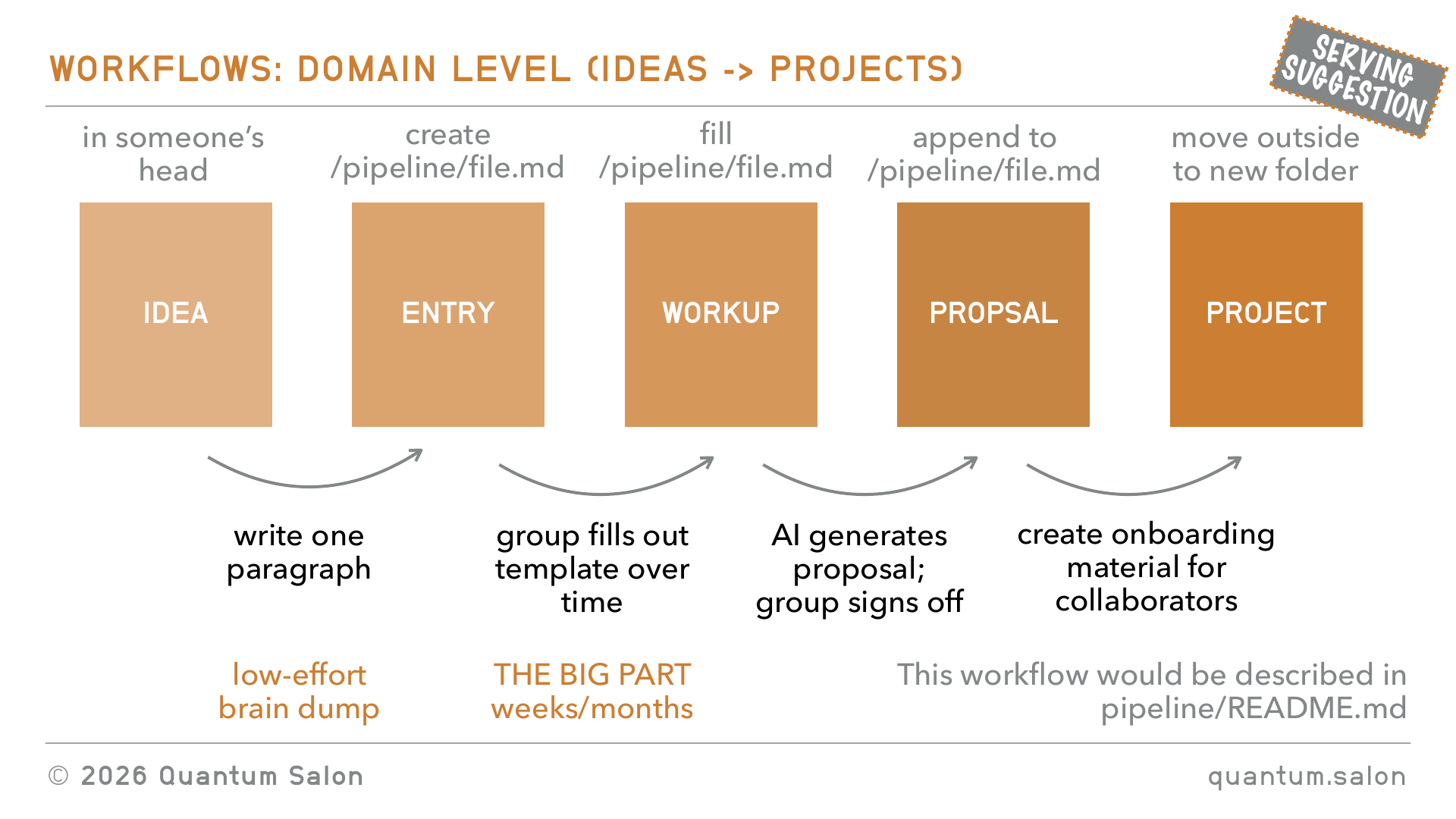
Okay, so I think we’ve touched on all of the conceptual stuff: the knowledge management, what we know, how we work, how ideas become projects, and the AI processes to keep the whole thing from going stale.
Tools
I just wanted to now touch on tools and how this would all be implemented in practice.
Models vs. harnesses
The first question is probably going to be, which AI should I use. I think most people have heard that there are all of these different models, like Claude Opus 5 from Anthropic, GPT-5.6 from OpenAI, that’s the one that’s supposed to be really good at research. I hear Claude, I don’t know, someone told me that Claude is more creative or something. And there are various other models from other companies. In some sense that’s kind of a personal decision. You can use many models, for whatever you find that the model is better at for different tasks.
I think the more important decision to make is which harness you should use. Harnesses are, okay, the model is essentially just the thing that has all of the weights, the thing that’s being trained, but you never just directly talk to the model. You’re always talking to it through some kind of software infrastructure that’s been built around the model for you to be able to engage with it.
Roughly speaking, you can split it up into three different kinds. There’s chat, general purpose agentic, and custom purpose agentic.
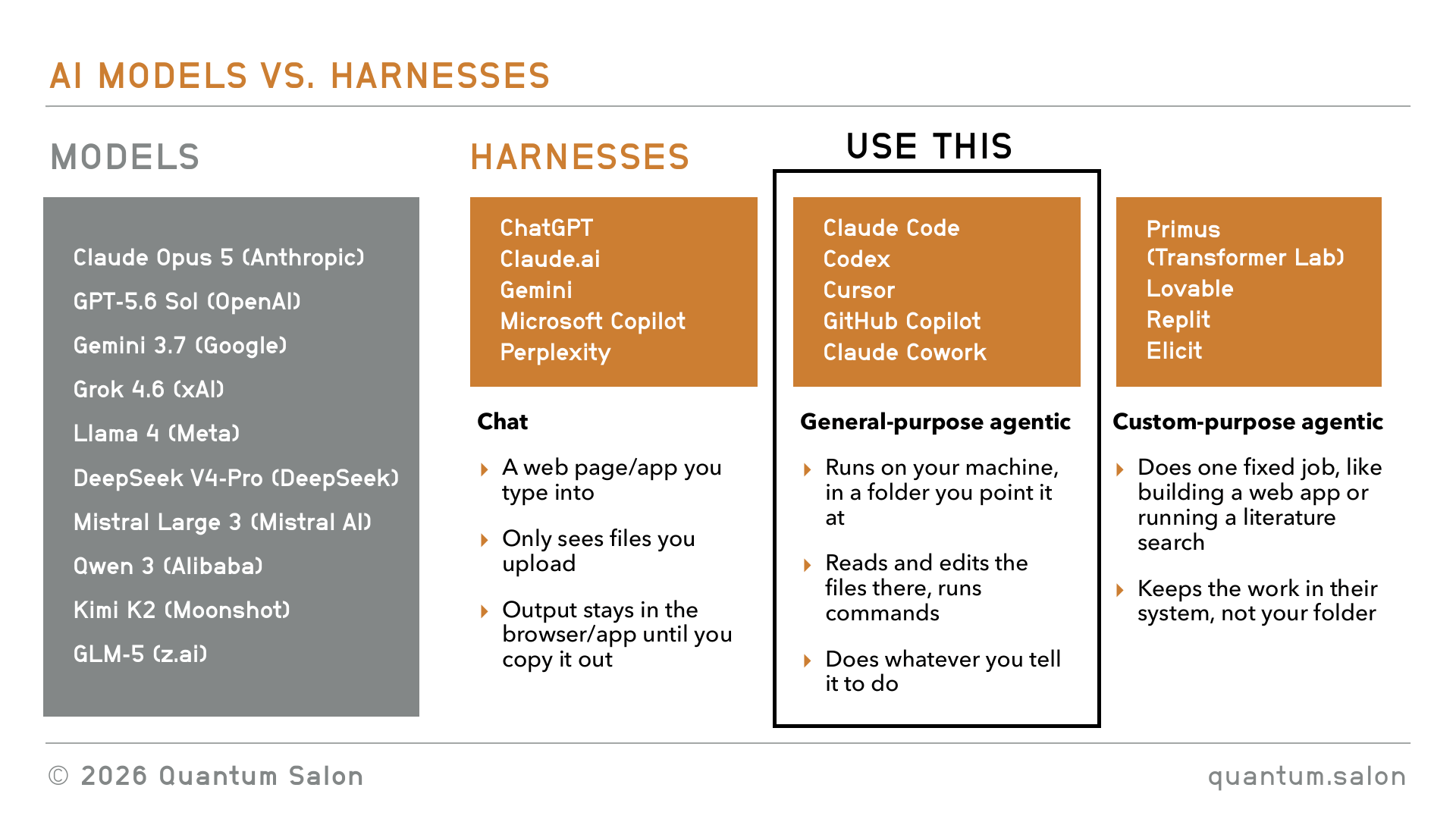
Chat is the one that you’re usually exposed to first, like ChatGPT or Claude on your browser. It’s usually an app or something on the browser. It just sees the files that you upload and ask it questions about, and it gives you output, maybe it gives you a file or an answer, but it’s something that stays in the browser until you copy it out. So that’s the basic chat.
Then the general purpose agentic ones. They are the ones that run on your machine, and they run in the folder that you point them to. So you’d be pointing that at your third brain, and it reads and edits things in this folder and it does things. If you tell it, send this email, or process this file, it’ll do it. Examples of this are Claude Code, which is the one that I mostly use, and Codex, which is the ChatGPT one that I also started using recently.
And then there are these custom purpose agentic ones. Maybe you guys have heard of Transformer Lab. Transformer Lab is a local startup. They have this AI scientist called Primus. The idea is that this thing can do one-shot research. So it’s an agentic model but it’s designed for one fixed job. In this case, creating a research paper. You give it a problem and it spits out a research paper after like 40 hours of running tons of agents doing crazy things. Another popular one was Lovable, which is the one that people were using to design websites. It was kind of popular maybe a year ago, until Claude just became really good at making websites. But that’s another kind of harness.
So for what we’re proposing here, I think what you want to use is a general purpose agentic one. You can choose any of those ones depending on what you’re comfortable with. If you have a software background you’re probably really comfortable with Claude Code, but you can also use something like Claude Cowork which does similar things.
Where to store the third brain
So now the question is where are you going to be storing this third brain. You want this on your machine, because you don’t want it in an app, because you want the agents to be able to access it. And pretty much you have two options. You can have it on a shared folder like Dropbox or Google Drive or whatever, or on GitHub, a combination of Git and GitHub.
I think you absolutely need to be using Git and GitHub. Git is a piece of software that does all of the version control on your local machine, and then GitHub is like the cloud version of that, that allows you to share it across different groups. Usually you’ll be doing stuff on your machine with Git and then syncing it to GitHub, and then other people can access those syncs. So that’s how you share it.
Why do I think you should use GitHub? It really separates these aspects of saving something as you’re working on it, sharing it with people, and then integrating it into the collective third brain. And it does that in a way that supports discussion, which I think is really important as you’re taking things from the idea to the project pipeline stage, because you really want to be able to have discussions about it. I think that helps you refine the ideas in a shared but distributed way, and no one’s changes are going to override somebody else’s changes without it being a conscious act. If you have Dropbox and you make a change, it might write over something. If your agent is in there doing crazy things, it might mess everything up.
So what do I mean by this? Pretty much, if you save something on Google Drive it’s just going to integrate it. Whereas on Git you have something called a Git commit, which is what you do when you want to save something that you’ve just made. Then you have it in a branch, and then you push that branch to GitHub. At that point everybody can access it and review it, but it hasn’t yet been integrated into the agreed-upon third brain. Then you have this whole process of commenting on something called a PR, a pull request. That’s where all of the discussion happens, and you make changes to it and everything until everyone agrees, and then you merge the PR into the main branch, which is how you integrate it. Now this is the source of knowledge that we all agree on.
At first, when you first start learning how to do that, it just seems really stupid and a mess, and you screw everything up and you think you’re going to make big mistakes. But once you get the conceptual idea of what’s going on, then you can just get your AI agents to do all this for you as well. I essentially haven’t made any mistakes since I’ve started using AI, whereas before it was always such a drama. So I think it’s a very nice process.
It also has additional machinery for moving ideas through stages, like creating something called an issue, which lets you have discussions. You put something there before, it’s kind of like a proposal. It has these templates, kanban boards and stuff. So it has lots of nice infrastructure.
I think this one is really important, something that people in academia are always worried about: how do we assign attribution? GitHub records every contribution that anyone makes throughout the thing. So maybe by the time a paper is ready, you can then go to your AI and be like, hey, look through the Git history and give me a report on what everyone’s contributed, and then it’ll give you a list over the last six months of what everyone’s done and who should be first author and whatever. And I think in some future where maybe papers aren’t a unit of work anymore, maybe GitHub repos are going to be the things that are considered the work that you share with people, all of that attribution is going to be there all the way from the beginning to the end. So I think that’s a really important aspect.
And also, because it’s something that software developers use, and AI agents first became really important for software developers, they already know how to use it. So everything you want to know, you just ask, tell me this, tell me that, and it’s really good. Also, if all of you are running your own agents, having this Git and GitHub setup keeps them all out of each other’s way. You don’t want both to be working on Dropbox and Rob’s agent writes over something that Lucien is doing or whatever. So I think there are all these reasons why Git and GitHub are really, really good for doing this.
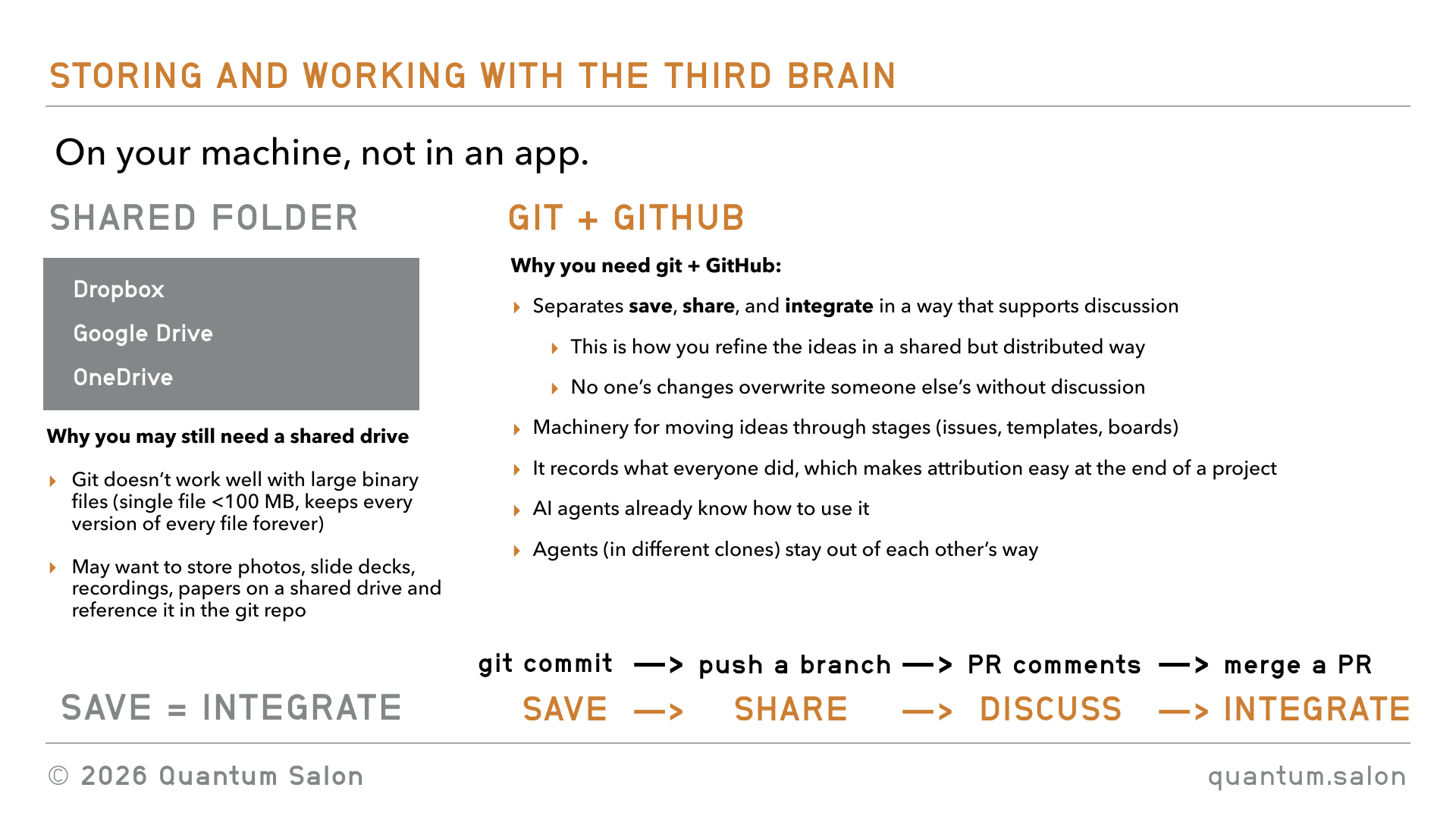
But I think you may still want to have a shared Google Drive, because Git doesn’t really work well with large files. So maybe if you have a video that’s a one hour talk or something, it just wouldn’t be great to keep that on GitHub. I would have an additional thing that just stores all of your large files, non-text files. And those don’t need to be organized in any particular way, because your third brain will just link back to everything.
So that’s the setup. You may want to store other things on a drive, but I don’t think you ever want your agents to be working inside the drive.
Using GitHub
So what would I recommend? I think as a research group you should create something called a GitHub organization. Right now probably a lot of you have your own GitHub profile. You can create repos there, but it’s a bit of a burden for one person to own everything that’s going on in a group. Maybe the supervisor can own it, but maybe the supervisor doesn’t want the burden of managing it. So having an organization I think is a good way to do it. You would create the Quantum Foundations GitHub organization.
This thing allows shared accounts where teams can collaborate across many projects at once, and it has sophisticated security and administrative features, so you can give access to different repos to different people and so on. So I would have one main repo that’s the third brain repo, and this would be accessible by all of the core members of the group. And then I would have individual repos for projects, once something has gone through the pipeline and it’s now a project, we’re bringing in collaborators, we’re working on it. So then each one of those would have its own repo.
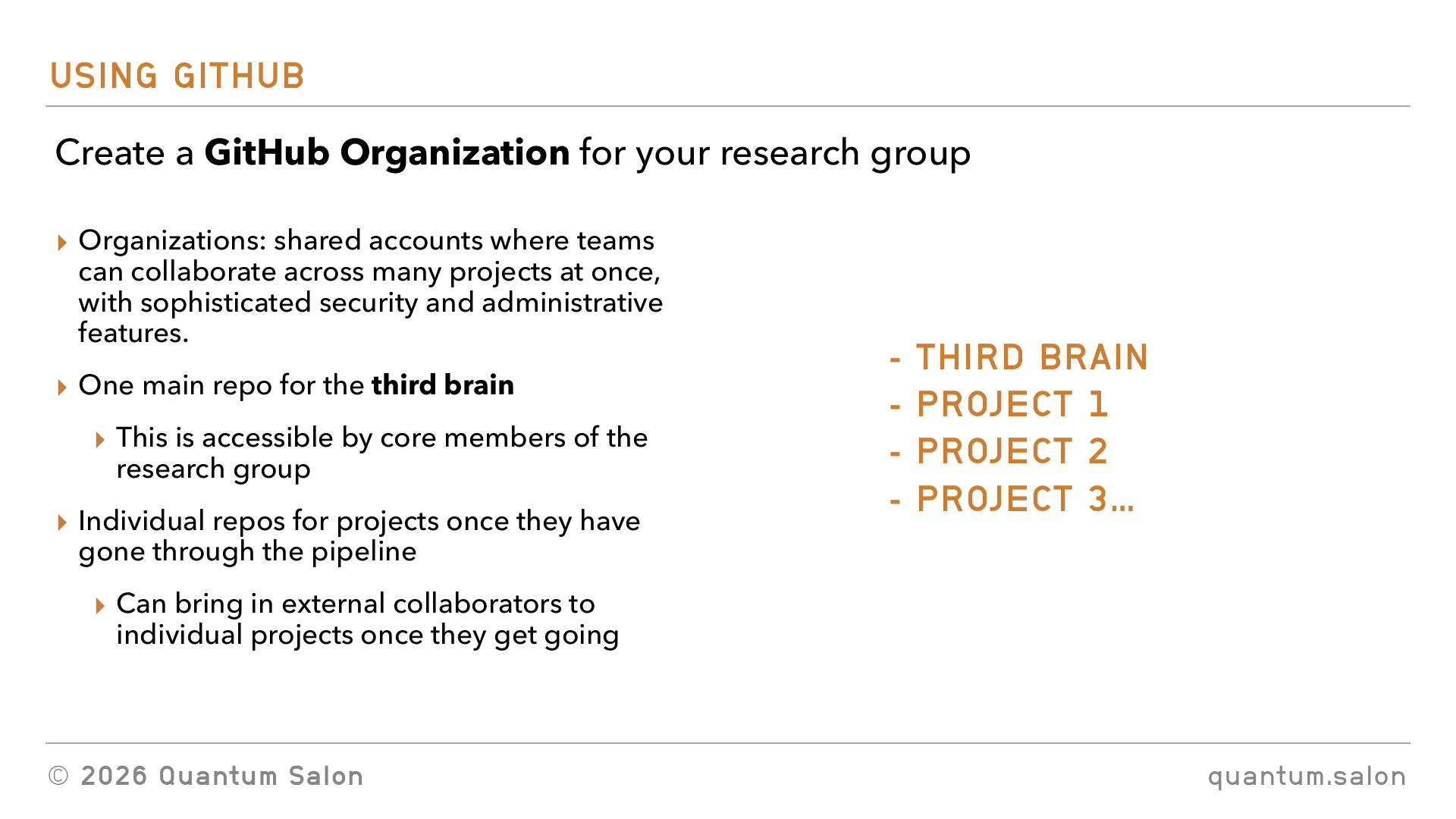
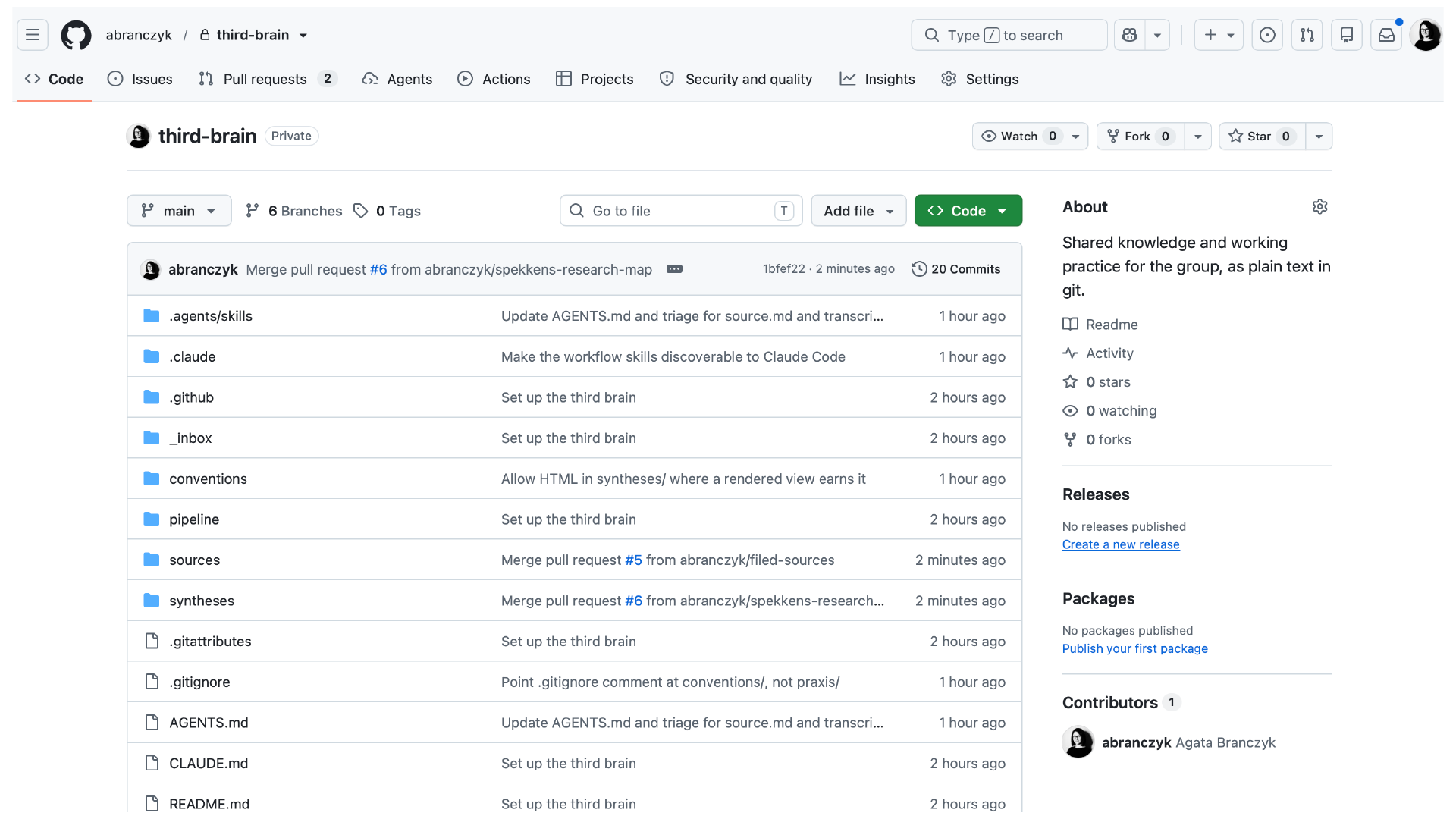
This is an example of a repo that I set up based on the stuff that I discussed in the talk, and it’s the one that we’re going to use for the hands-on part of the workshop.
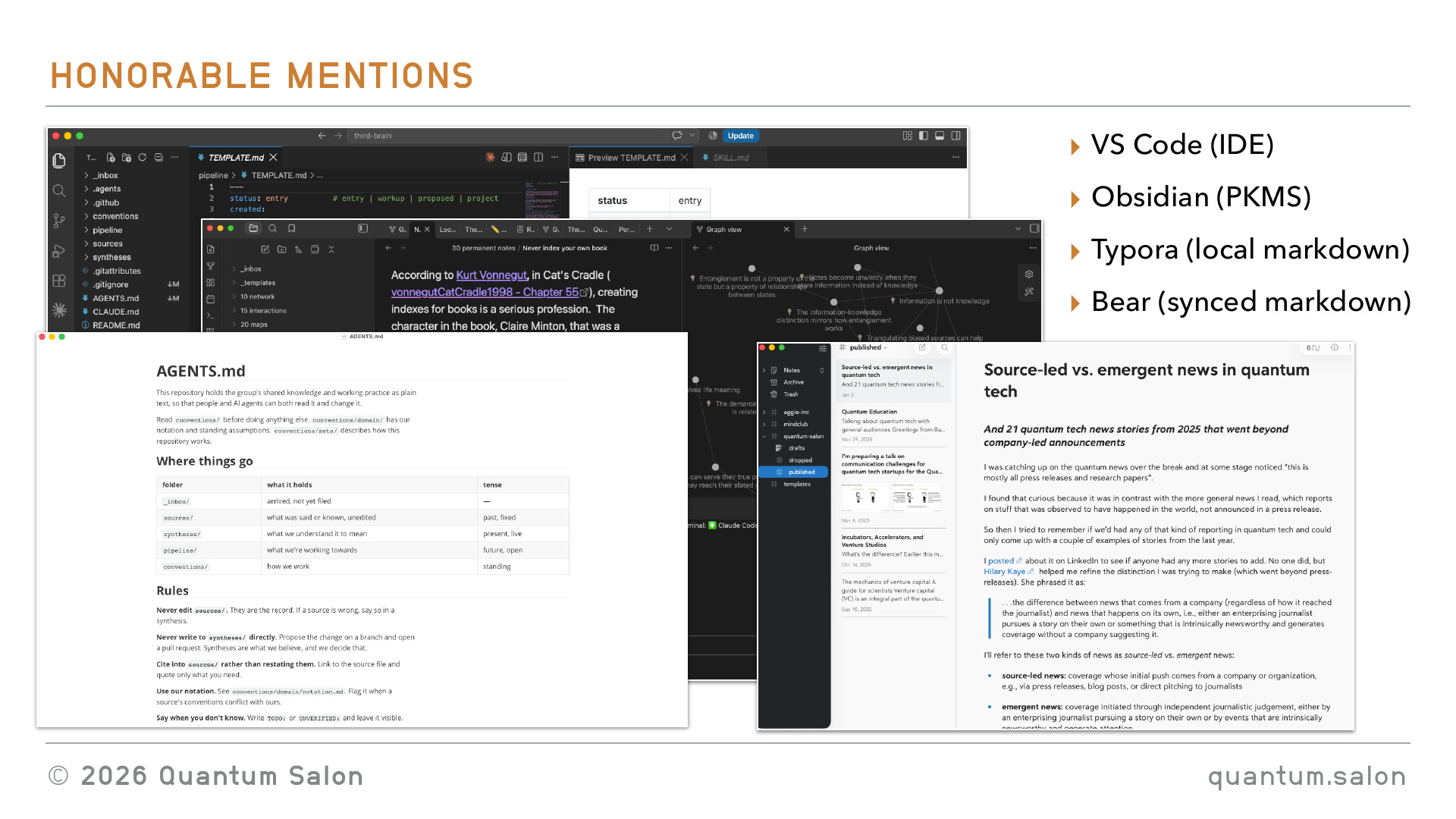
Honorable mentions
Before I wrap up I just wanted to give a few honorable mentions to other kinds of tools I found helpful.
I really like to use VS Code, like 90% of the time. If you look at my computer it’s got that up. It’s not because I’m writing, I mean, okay, so initially this, ID stands for integrated development environment. So this is something that software developers used, but I think it’s just great for anything you want to use with your AI agents. Here you have the list of the files, these open up, you can see everything, so it’s your whole directory. You can have a terminal open. So here is an actual terminal that you can run bash commands in. In another terminal you can open Claude Code or Codex or something. And so then you can chat with your AI agent, or whatever, your harness, here.
Another way of using VS Code is I think you can have a Claude plugin, and it’s somewhere over there, but I generally don’t bother with that. I just use it in a terminal. I think that’s a really convenient way of doing it. So here, for example, you have the source code, and then it renders the markdown in this nice human readable way. It’s also really good for LaTeX. You can have your LaTeX source file here and then your PDF that’s generated there, and it just automatically updates things. So you can get Claude to change something in the code and it automatically sees it in there, if you have the right plugin. I just think it’s a really convenient way of working with many different files like this. And by default it has access to everything here, but you can grant it permissions to access other parts of your computer if you want as well. So that’s one.
Another one is Obsidian. This is pretty much how people used to organize their second brains. You would have folders with markdown files and so on. And it does really nice cross-linking between your files, like if you were building a wiki, and you can generate these graphs of how different markdown files connect. Again you can have a terminal to talk to your Claude Code. So that’s another one that people use for their personal knowledge management systems. And the nice thing that it does is that there you can edit the markdown directly and then it renders it in this nice human readable way, rather than in VS Code where you have to edit the source code itself.
But the thing that sucks about Obsidian is that you need to store everything in a vault, which isn’t ideal for just accessing random markdown files on your computer. So I really like something called Typora, which just lets you open local markdown files in a really nice readable way, which you can edit. But the problem with that is if you’re opening local files, you can’t sync them between your computer and your iPad. So another one that I really like is Bear, which I use if I know I’m going to be working on something on my computer and on my iPad. But there you have to store the thing in the app rather than locally on your computer.
So yeah, they’re just tools that I found pretty useful working with markdown files, which are critical to working with AI agents.
Key takeaways
Okay, so that’s pretty much the talk. I just want to give a few key takeaways.
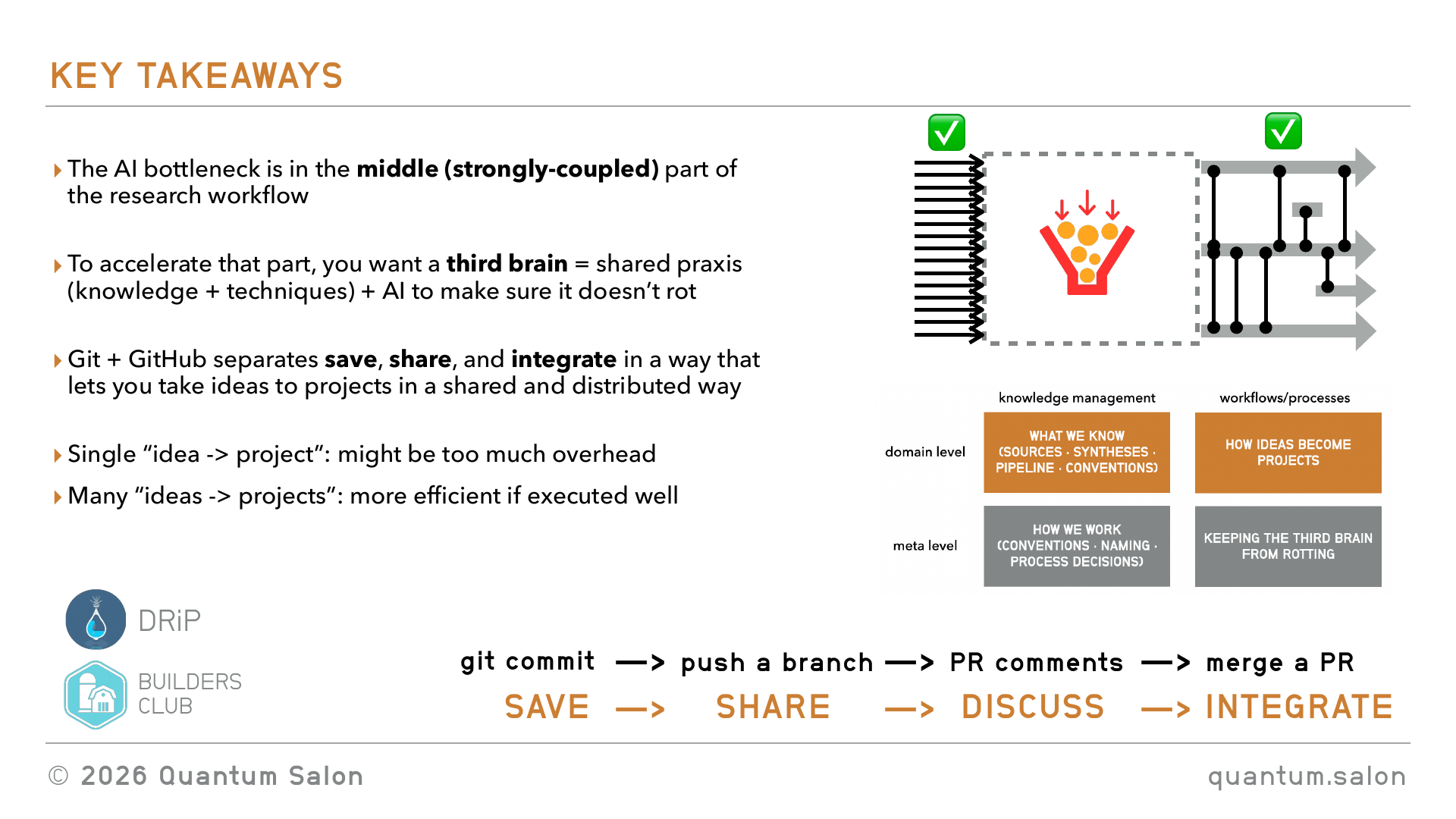
The first takeaway is that I think the AI bottleneck in research is in this middle section, which is this strongly coupled workflow stage.
I think to accelerate that part you’re going to want to create this third brain, which is this shared body of knowledge and techniques that have been really externalized explicitly in some kind of system. And you want to use the AI to make sure that it doesn’t rot or go stale.
And I think the key tool here is Git and GitHub, which separates this save, share and integrate part in a way that helps you process the ideas to projects.
I guess, as you’re watching this, you’re probably like, oh my god, this is a huge amount of overhead compared to how you usually work. And it’s true. If you take a single idea, if you were to go through all of this process rather than the organic way that you do it, it’s a crazy amount of overhead. But I think when you’re in a situation where you have too many ideas that you can process in the way that you’re naturally used to working, that’s when something like this is going to become helpful. So I think it can make things collectively work more efficiently if you execute it well, even if it seems less efficient for an individual project.
Shoutouts
Just a couple of shoutouts. A lot of these ideas came from a project I worked on three or four years ago called DRiP, doing research in public. This was before AI existed, so I had all of the workflows but it kind of didn’t work because it was too labor intensive. But it was something that I thought about a while ago, and Christophe Pere also helped me tease out some of these ideas, so I wanted to give a shout out to him.
And also to Builders Club, which is in downtown Kitchener. It’s a co-working space that I hang out at, and everyone there is at the bleeding edge of AI tools, so I just get to see all of the cool stuff that people are doing. A lot of what I’ve learned about how to use AI I picked up from people there.
So yeah, that’s pretty much it for the presentation part. Thanks for being here.


